
How to Connect Concord With Your Favorite Tools: A Complete Guide to Integrations
How to Connect Concord With Your Favorite Tools: A Complete Guide to Integrations
How to Connect Concord With Your Favorite Tools: A Complete Guide to Integrations
How to Connect Concord With Your Favorite Tools: A Complete Guide to Integrations
Contract management doesn’t happen in isolation. Your contracts live alongside your CRM, your storage systems, your calendars, and your team collaboration tools.
If you’re still evaluating platforms, check out our guide to the best contract management software to see how Concord compares.
The good news is that Concord connects with all of them.
This guide walks through every integration option available in Concord, from no-code solutions anyone can set up to developer-friendly APIs for custom workflows.
Build Your Own Integrations
Concord offers three ways to create custom connections with other tools: Zapier, the API, and webhooks.
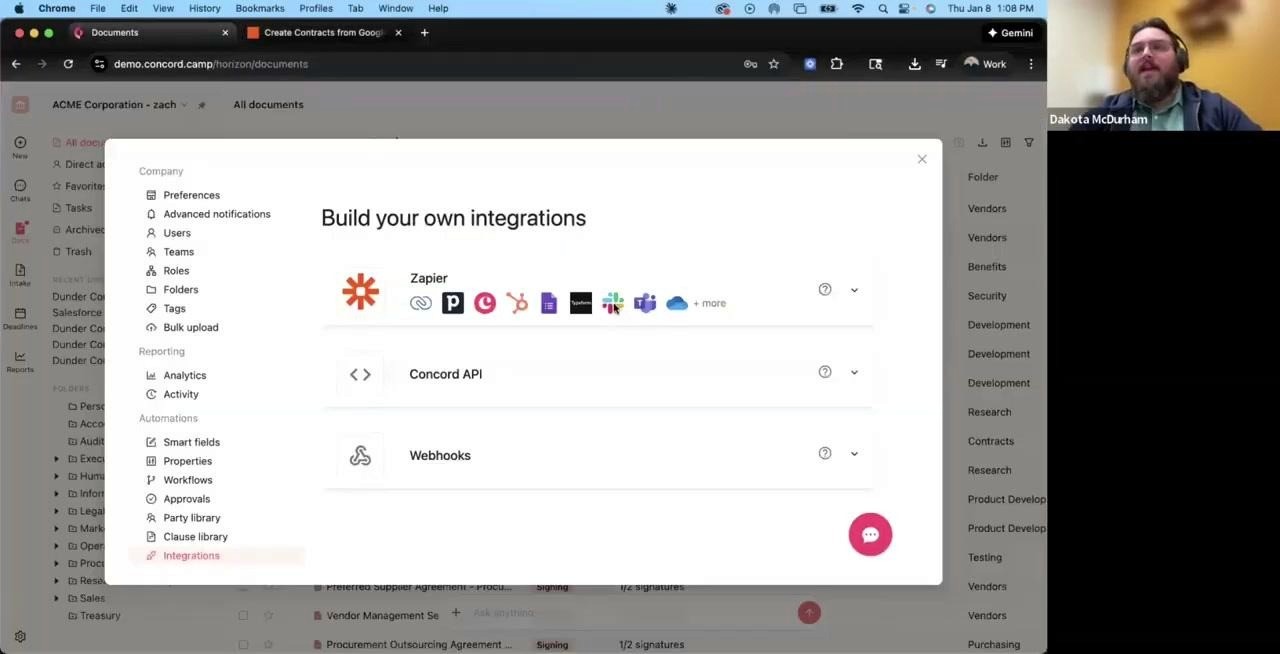
The integrations panel in Concord Horizon shows your options for building custom connections
Zapier: Connect to 8,500+ Apps Without Code
Zapier is the easiest way to connect Concord with tools that don’t have a native integration. The most common use case is contract intake. Here’s how it works in practice:
One company set up a Google Form for contract requests. Employees fill out the form, and Zapier automatically creates a new document in Concord from their template. The legal team gets the request without any manual data entry.
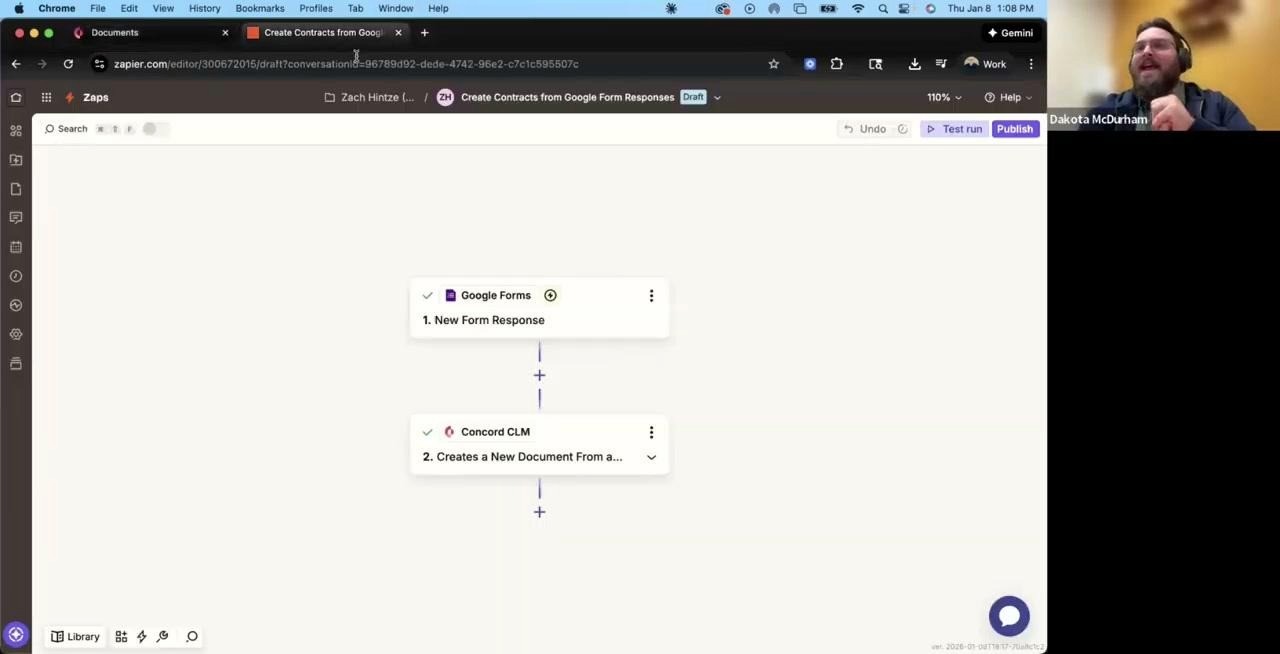
A simple Zapier workflow: when someone submits a Google Form, Concord creates a new document
This same approach works for tools like Adobe Sign, JotForm, Typeform, or any of the thousands of apps in Zapier’s library.
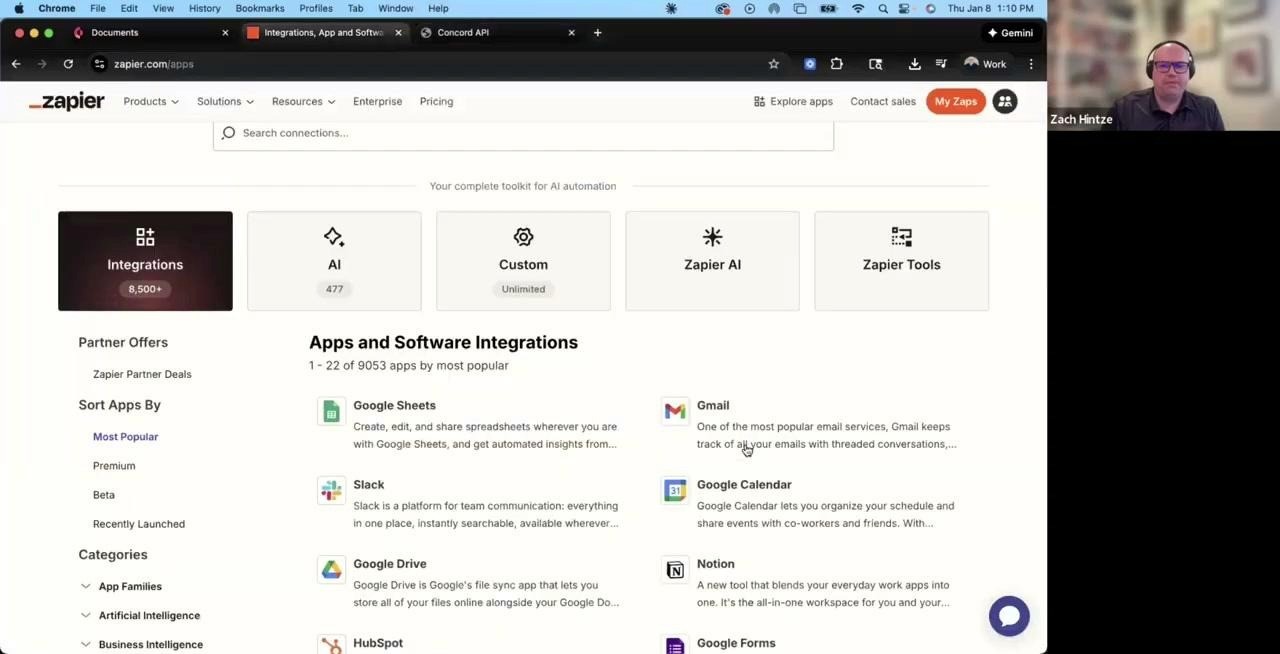
Zapier connects Concord to over 8,500 applications
A few things worth knowing about Zapier:
You can create and test Zaps for free before committing to a paid plan
Check Zapier’s app directory first to confirm your tool is supported
The Concord support team is happy to help if you get stuck during setup
The Concord API
The API gives developers full control over pushing and pulling data from Concord. One customer, a large HR company in Europe, uses the API to automatically generate thousands of employment contracts each month. Their system populates templates with employee data and sends documents out for signature without any manual intervention.
The API documentation is available on Concord’s website. You’ll need a developer on your team to implement it, but the possibilities are broad: create documents, update metadata, trigger workflows, or sync contract data with your own systems.
Webhooks
Webhooks work alongside the API to trigger actions when something happens in Concord. While the API lets you push and pull data on demand, webhooks notify external systems automatically when specific events occur.
For example, you could set up a webhook to notify your Slack channel whenever a contract gets signed, or update a record in your database when a document moves to a new status.
Native CRM Integrations: Salesforce and HubSpot
Salesforce and HubSpot are Concord’s most popular integrations. Both work the same way: you create an automated template in Concord, connect it to your CRM, and then generate documents directly from deal or contact records.
From a HubSpot deal, click the Concord button, select your template, and the document populates with the deal data. No copying and pasting.
If you’re using Salesforce CPQ or another quoting tool, Concord can pull in the generated quote document and route it for approval and signature.
DocuSign Integration
Many companies come to Concord already using DocuSign for signatures. Rather than force a switch, Concord integrates directly with DocuSign.
Draft your contract in Concord using templates or by uploading third-party paper. When it’s ready for signature, push it to DocuSign with one click. After signing, the executed document automatically saves back to Concord.
There’s also a bulk import feature for migrating your existing DocuSign archive into Concord. Choose specific folders or import everything at once.
Storage Integrations: Box, Dropbox, and Google Drive
The storage integrations are straightforward: whenever you sign a document through Concord, a copy automatically saves to your connected storage service. This gives you a backup in a system your team might already use for file management.
Note that these are one-way syncs. Deleting a document in Concord won’t delete it from Google Drive, and vice versa. They’re separate copies.
Calendar Sync for Deadlines
Concord tracks contract deadlines and displays them in a calendar view. But you probably don’t live in Concord all day. The calendar sync feature pushes your deadlines to Google Calendar, Outlook, or Apple Calendar.
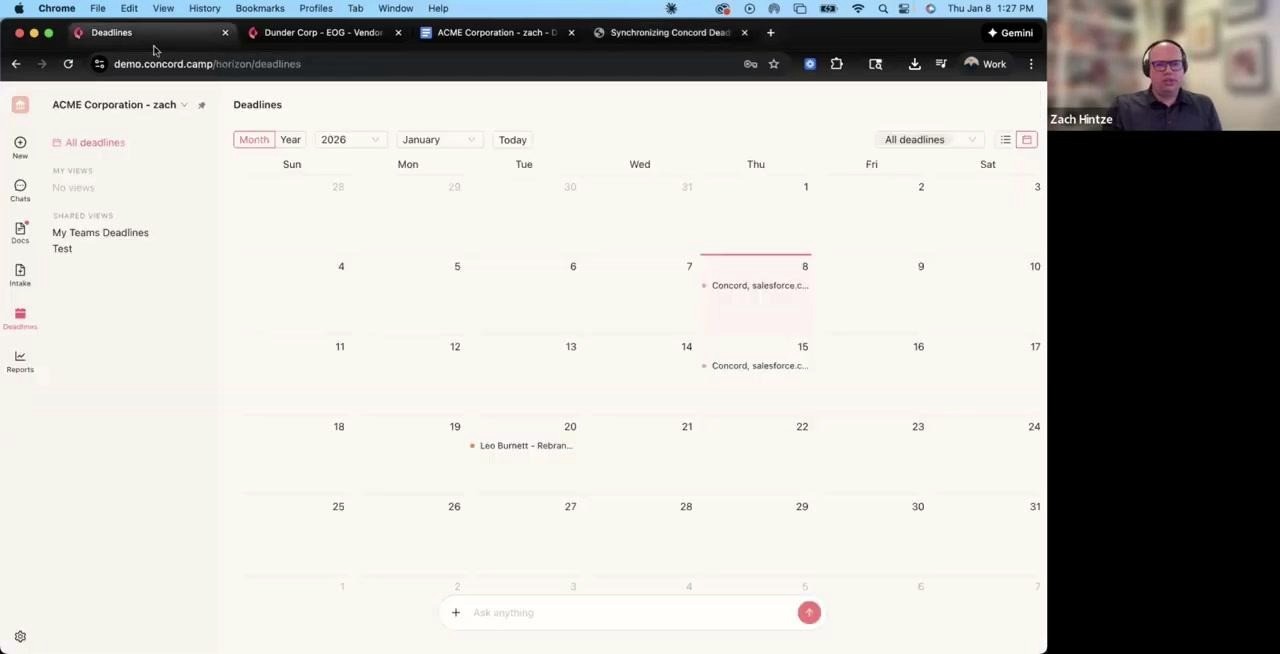
The Concord deadline view shows upcoming dates, and these sync to your external calendar
This works like subscribing to any other calendar. New deadlines added to Concord, whether manually or through AI extraction, automatically appear in your synced calendar. Check the Concord help center for setup instructions specific to your calendar app.
Google Docs and Microsoft Word Plugins
Sometimes you need to work on a contract outside of Concord. Maybe you prefer Word’s track changes, or a counterparty wants to collaborate in Google Docs.
Concord exports documents to either platform with comments and redlines intact. The Google Docs integration is built into Concord’s export menu. For Word, there’s a plugin available in the Microsoft Word add-in store that works with Word Online.
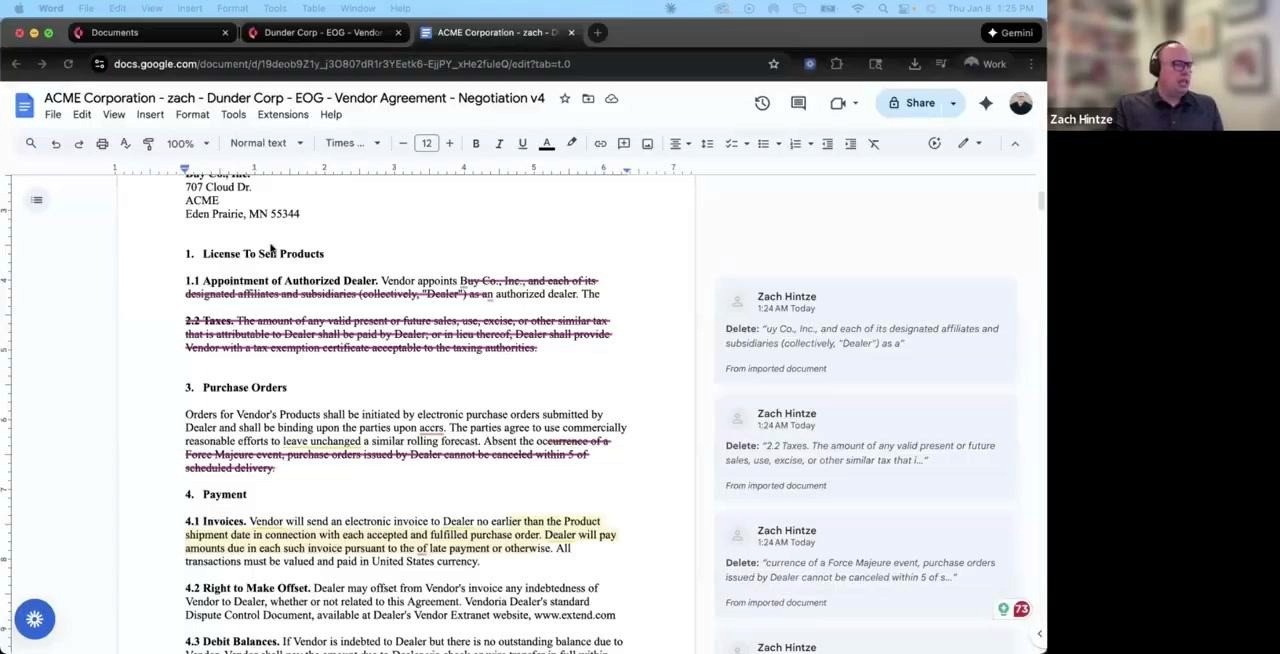
Contracts exported to Google Docs retain all comments and tracked changes
The Word plugin lets you push documents back and forth between Concord and Word without the download-edit-upload cycle. This is particularly useful if you have strict formatting requirements that work better in Word.
Single Sign-On
Enterprise customers can connect Concord to their company’s identity provider. Google SSO works on all plans. Other providers like Okta, Azure AD, or OneLogin require the enterprise package.
AI Data Extraction
Concord uses AI to pull key terms from uploaded contracts. Dates, party names, and other structured data get extracted automatically and added to your reports.
Coming soon: custom AI fields. Instead of relying on preset extraction rules, you’ll be able to specify exactly which data points to pull from your contracts.
Getting Started
Most of these integrations can be set up without technical help. For the API and webhooks, you’ll want a developer involved. For everything else, Concord’s support team can walk you through the process.
Contact information:
For new features or plan upgrades: sales@concord.app
For setup help and support: support@concord.app
Contract management doesn’t happen in isolation. Your contracts live alongside your CRM, your storage systems, your calendars, and your team collaboration tools.
If you’re still evaluating platforms, check out our guide to the best contract management software to see how Concord compares.
The good news is that Concord connects with all of them.
This guide walks through every integration option available in Concord, from no-code solutions anyone can set up to developer-friendly APIs for custom workflows.
Build Your Own Integrations
Concord offers three ways to create custom connections with other tools: Zapier, the API, and webhooks.
The integrations panel in Concord Horizon shows your options for building custom connections
Zapier: Connect to 8,500+ Apps Without Code
Zapier is the easiest way to connect Concord with tools that don’t have a native integration. The most common use case is contract intake. Here’s how it works in practice:
One company set up a Google Form for contract requests. Employees fill out the form, and Zapier automatically creates a new document in Concord from their template. The legal team gets the request without any manual data entry.
A simple Zapier workflow: when someone submits a Google Form, Concord creates a new document
This same approach works for tools like Adobe Sign, JotForm, Typeform, or any of the thousands of apps in Zapier’s library.
Zapier connects Concord to over 8,500 applications
A few things worth knowing about Zapier:
You can create and test Zaps for free before committing to a paid plan
Check Zapier’s app directory first to confirm your tool is supported
The Concord support team is happy to help if you get stuck during setup
The Concord API
The API gives developers full control over pushing and pulling data from Concord. One customer, a large HR company in Europe, uses the API to automatically generate thousands of employment contracts each month. Their system populates templates with employee data and sends documents out for signature without any manual intervention.
The API documentation is available on Concord’s website. You’ll need a developer on your team to implement it, but the possibilities are broad: create documents, update metadata, trigger workflows, or sync contract data with your own systems.
Webhooks
Webhooks work alongside the API to trigger actions when something happens in Concord. While the API lets you push and pull data on demand, webhooks notify external systems automatically when specific events occur.
For example, you could set up a webhook to notify your Slack channel whenever a contract gets signed, or update a record in your database when a document moves to a new status.
Native CRM Integrations: Salesforce and HubSpot
Salesforce and HubSpot are Concord’s most popular integrations. Both work the same way: you create an automated template in Concord, connect it to your CRM, and then generate documents directly from deal or contact records.
From a HubSpot deal, click the Concord button, select your template, and the document populates with the deal data. No copying and pasting.
If you’re using Salesforce CPQ or another quoting tool, Concord can pull in the generated quote document and route it for approval and signature.
DocuSign Integration
Many companies come to Concord already using DocuSign for signatures. Rather than force a switch, Concord integrates directly with DocuSign.
Draft your contract in Concord using templates or by uploading third-party paper. When it’s ready for signature, push it to DocuSign with one click. After signing, the executed document automatically saves back to Concord.
There’s also a bulk import feature for migrating your existing DocuSign archive into Concord. Choose specific folders or import everything at once.
Storage Integrations: Box, Dropbox, and Google Drive
The storage integrations are straightforward: whenever you sign a document through Concord, a copy automatically saves to your connected storage service. This gives you a backup in a system your team might already use for file management.
Note that these are one-way syncs. Deleting a document in Concord won’t delete it from Google Drive, and vice versa. They’re separate copies.
Calendar Sync for Deadlines
Concord tracks contract deadlines and displays them in a calendar view. But you probably don’t live in Concord all day. The calendar sync feature pushes your deadlines to Google Calendar, Outlook, or Apple Calendar.
The Concord deadline view shows upcoming dates, and these sync to your external calendar
This works like subscribing to any other calendar. New deadlines added to Concord, whether manually or through AI extraction, automatically appear in your synced calendar. Check the Concord help center for setup instructions specific to your calendar app.
Google Docs and Microsoft Word Plugins
Sometimes you need to work on a contract outside of Concord. Maybe you prefer Word’s track changes, or a counterparty wants to collaborate in Google Docs.
Concord exports documents to either platform with comments and redlines intact. The Google Docs integration is built into Concord’s export menu. For Word, there’s a plugin available in the Microsoft Word add-in store that works with Word Online.
Contracts exported to Google Docs retain all comments and tracked changes
The Word plugin lets you push documents back and forth between Concord and Word without the download-edit-upload cycle. This is particularly useful if you have strict formatting requirements that work better in Word.
Single Sign-On
Enterprise customers can connect Concord to their company’s identity provider. Google SSO works on all plans. Other providers like Okta, Azure AD, or OneLogin require the enterprise package.
AI Data Extraction
Concord uses AI to pull key terms from uploaded contracts. Dates, party names, and other structured data get extracted automatically and added to your reports.
Coming soon: custom AI fields. Instead of relying on preset extraction rules, you’ll be able to specify exactly which data points to pull from your contracts.
Getting Started
Most of these integrations can be set up without technical help. For the API and webhooks, you’ll want a developer involved. For everything else, Concord’s support team can walk you through the process.
Contact information:
For new features or plan upgrades: sales@concord.app
For setup help and support: support@concord.app


Take the "management" out
of contract management.
Customer Support
Legal
Compare
Resources
Customer Support
Company
Legal
Compare
Resources
Customer Support
Company
Legal
Compare
© 2025 Concord. All rights reserved.

