
AI contract search: how Concord's Copilot finds what keyword search misses
AI contract search: how Concord's Copilot finds what keyword search misses
AI contract search: how Concord's Copilot finds what keyword search misses
AI contract search: how Concord's Copilot finds what keyword search misses
contract management
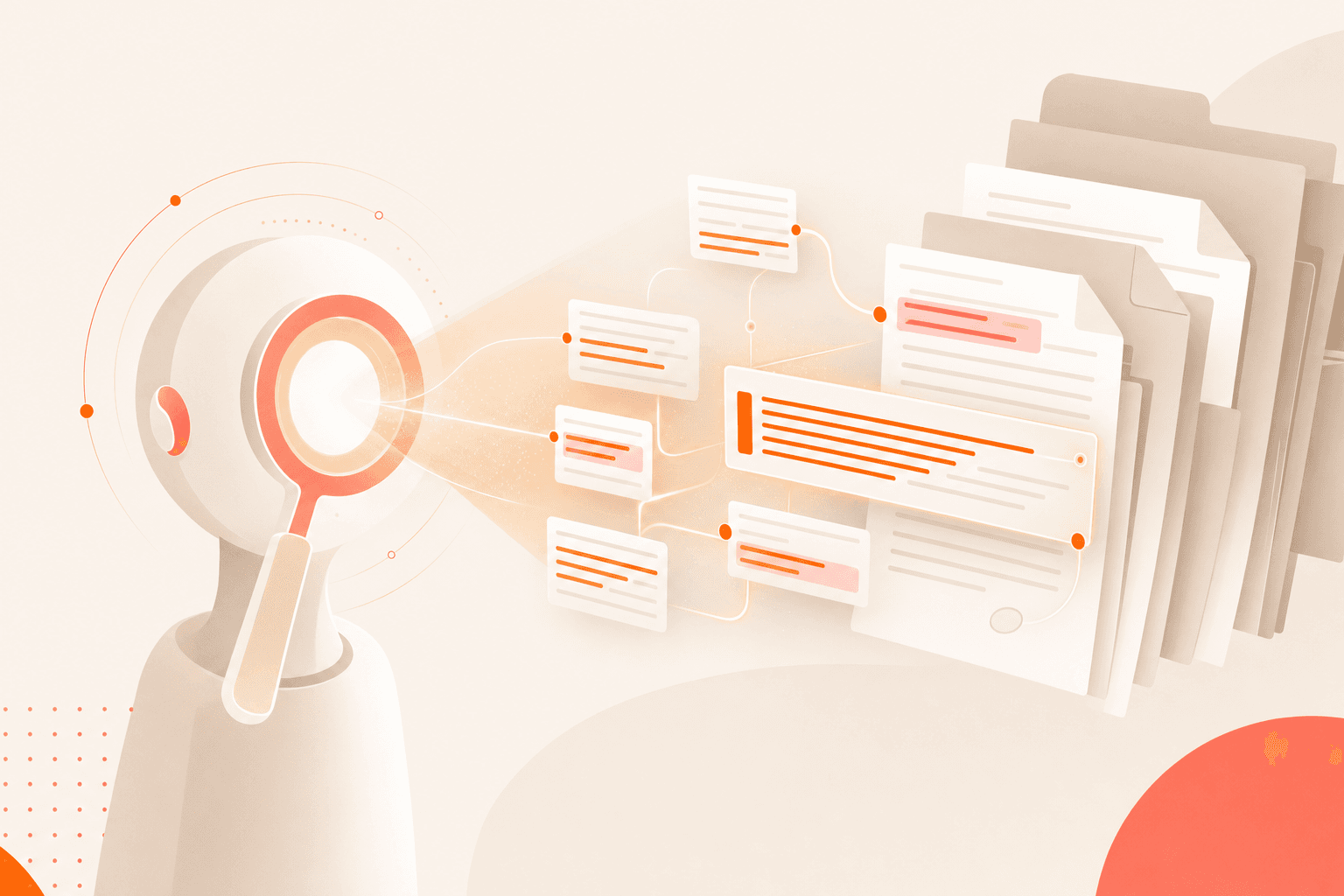
You know the clause is in there. Somewhere across hundreds of contracts, a termination for convenience provision exists that your team needs to review before Friday. You type "termination for convenience" into your contract search bar, get back 12 results, and immediately wonder: what about the contracts that call it "right to terminate without cause" or "discretionary termination"? Traditional keyword search cannot help you here. It only finds what you already know how to ask for, in the exact words the contract happens to use.
This is the core problem that ai contract search was built to solve. Concord's AI Copilot replaces the old keyword-matching model with semantic, natural-language search and clause analysis across your entire contract repository. Instead of guessing at exact terms, you ask a question in plain language and receive clause-level results drawn from the full text of every contract you have access to.
This post walks you through what that experience actually looks like, step by step, and explains why semantic contract search represents a fundamentally different capability than the keyword tools most teams still rely on.
The problem with keyword contract search
Before walking through the AI Copilot, it helps to understand exactly why traditional search fails. The issue is not that keyword search is broken. It works precisely as designed. The problem is that its design assumes two things that are almost never true across a real contract portfolio.
First, it assumes you know the exact phrasing the contract uses. Contracts are drafted by different law firms, different counterparties, and different internal teams over the span of years. A non-compete clause might appear as "restrictive covenant," "non-competition obligation," or "post-employment restriction." Keyword search treats these as entirely different concepts.
Second, it assumes someone tagged the document correctly when it was uploaded. Contract managers frequently describe tagging as an unsustainable burden, particularly on small and mid-market teams without dedicated legal technology staff. Repositories grow faster than teams can categorize them, and incomplete metadata means keyword search has blind spots that widen over time.
The result is a reliability gap. Your repository technically contains the information, but you cannot practically surface it. Over hundreds or thousands of contracts, this gap compounds into a genuine risk exposure. You make decisions based on incomplete search results and may not even realize what you missed.
How semantic search works differently
Semantic contract search operates on a different principle. Rather than matching character strings, it interprets the meaning of your question and compares it against the meaning of contract language. Concord's AI Copilot reads the full body of every contract through OCR, not just metadata fields or manually entered tags. It understands that "termination for convenience," "right to terminate without cause," and "discretionary termination" all describe the same concept.
This distinction matters in two specific ways:
You no longer need to guess at phrasing. Type your question the way you would ask a colleague: "Which contracts allow either party to terminate without cause?" The AI understands the intent behind the question.
You no longer depend on manual tagging for discoverability. The AI reads every word of the contract body. Provisions that were never tagged, categorized, or even noticed during upload are still fully searchable.
For a deeper look at how Concord handles document ingestion and text extraction, see the guide to contract data extraction.
Walking through the AI Copilot experience
Here is what it actually looks like to use Concord's AI Copilot for a real task: identifying all contracts in your portfolio with auto-renewal clauses where the notice period is less than 30 days.
Step one: ask a natural-language question
Open the AI Assistant chat interface and type your question in plain English: "Show me all contracts with auto-renewal clauses where the required notice period is less than 30 days."
You do not need to build a structured query, navigate filter menus, or select from a predefined list of clause types. The interaction model mirrors how you already use general-purpose AI tools. Legal ops leaders frequently describe this as the moment the product "clicks" for their teams, because it removes the learning curve associated with traditional search interfaces.
Step two: the AI reads the full document body
Behind the scenes, the Copilot searches across your entire contract repository. It reads the full text of each contract, not just metadata fields. This means contracts signed outside Concord, such as those originally executed through DocuSign or uploaded as PDFs, are included in the results. Every uploaded document is OCR-processed and fully searchable by the AI, regardless of how it was originally signed.
The underlying search infrastructure returns results quickly even across large repositories.
Step three: results appear in your contract inbox
This is where Concord's approach diverges sharply from legacy tools. Your search results do not appear in a static popup window or an isolated results page. They appear directly in your contract inbox with full functionality intact.
You can filter the results by any available field. You can customize which columns display. You can sort, group, and rearrange the data to match the specific analysis you need. The results are not a dead end; they are a starting point for real work.
Step four: export, save, or build a report
From the inbox view, you can export the results to a spreadsheet, save the search as a reusable report, or take direct action on the contracts themselves. Need to flag all 23 contracts with sub-30-day auto-renewal notice periods for legal review? You can do that without leaving the results view.
This workflow, from question to actionable report, replaces what many teams describe as a multi-day process involving manual searches, spreadsheet compilation, and cross-referencing across folders. For additional guidance on organizing your contract repository for maximum searchability, see the guide to contract repository management.
Keyword search vs. semantic search: a side-by-side comparison
CapabilityKeyword searchConcord AI CopilotInput methodExact text stringsNatural-language questionsWhat it searchesMetadata, tags, document titlesFull contract body via OCRHandles synonym variationsNoYesRequires manual taggingYes, for reliable resultsNo, AI reads the full textUploaded/third-party documentsOften excluded or limitedFully included and searchableResults formatStatic list or popupFull inbox with filter, sort, export, and saveClause-level excerptsNoYes, returns actual contract languageMulti-parameter queriesRequires building complex filtersSupports stacked natural-language conditionsRespects user permissionsVaries by platformYes, only returns contracts the user can access
Clause analysis across your entire repository
Many AI-powered contract tools offer single-document analysis. You upload a contract, ask questions about it, and receive answers about that one document. This is useful, and Concord offers it too through the in-document AI contract chat interface.
But the AI Copilot operates at a different level entirely. It performs AI contract analysis across your full repository, returning aggregated, clause-level results from every relevant contract. This is the difference between asking "What does this contract say about termination?" and asking "Which of my contracts contain a termination for convenience clause, and what does each one actually say?"
The second question is where portfolio-level risk and compliance reviews actually happen. Contract clause search at this scale allows you to:
Identify every contract with a specific provision type, even if the language varies across documents
Compare how different counterparties have negotiated the same clause
Flag non-standard or high-risk language across your entire portfolio in a single query
Prepare for regulatory changes by finding every affected contract before a deadline
Teams running compliance or risk reviews consistently describe this as the most compelling capability in the platform. For more on how Concord's AI capabilities work together, see the guide to AI-powered contract management.
The tagging tax, and how AI search eliminates it
Every contract management team faces a resource allocation decision: spend time meticulously tagging every document, or accept that your repository will have gaps. For teams with limited staff, this trade-off is particularly punishing. Tagging is important but tedious, and falling behind means your search results become unreliable.
AI-powered CLM search that reads the full document body changes this equation. Exhaustive manual tagging becomes optional for search and discovery purposes. The metadata still holds value for structured reporting and filtering, but the AI extracts much of it automatically, removing the bottleneck that keeps so many repositories incomplete.
This does not mean you should abandon tagging entirely. It means tagging becomes a tool for organization rather than a prerequisite for findability. Your team can focus tagging efforts on the fields that matter most for reporting and workflow triggers, and trust the AI to handle discoverability.
What happens after search: automated workflows
Finding the right contracts is the first step. Acting on what you find is where the value compounds. Concord's AI-powered workflow builder lets you trigger automated actions based on contract events and conditions. Once you have identified a set of contracts through AI search, you can build workflows that send renewal reminders, route contracts for review, or flag approaching deadlines automatically.
This transforms natural language contract search from a one-time lookup into an ongoing intelligence layer across your contract portfolio.
Try AI contract search in Concord
If you are tired of keyword search that only finds what you already know how to look for, Concord's AI Copilot offers a different approach. Ask questions in plain language, get clause-level results across your full repository, and turn those results into reports and workflows without leaving the platform. Request a demo to see it in action.
You know the clause is in there. Somewhere across hundreds of contracts, a termination for convenience provision exists that your team needs to review before Friday. You type "termination for convenience" into your contract search bar, get back 12 results, and immediately wonder: what about the contracts that call it "right to terminate without cause" or "discretionary termination"? Traditional keyword search cannot help you here. It only finds what you already know how to ask for, in the exact words the contract happens to use.
This is the core problem that ai contract search was built to solve. Concord's AI Copilot replaces the old keyword-matching model with semantic, natural-language search and clause analysis across your entire contract repository. Instead of guessing at exact terms, you ask a question in plain language and receive clause-level results drawn from the full text of every contract you have access to.
This post walks you through what that experience actually looks like, step by step, and explains why semantic contract search represents a fundamentally different capability than the keyword tools most teams still rely on.
The problem with keyword contract search
Before walking through the AI Copilot, it helps to understand exactly why traditional search fails. The issue is not that keyword search is broken. It works precisely as designed. The problem is that its design assumes two things that are almost never true across a real contract portfolio.
First, it assumes you know the exact phrasing the contract uses. Contracts are drafted by different law firms, different counterparties, and different internal teams over the span of years. A non-compete clause might appear as "restrictive covenant," "non-competition obligation," or "post-employment restriction." Keyword search treats these as entirely different concepts.
Second, it assumes someone tagged the document correctly when it was uploaded. Contract managers frequently describe tagging as an unsustainable burden, particularly on small and mid-market teams without dedicated legal technology staff. Repositories grow faster than teams can categorize them, and incomplete metadata means keyword search has blind spots that widen over time.
The result is a reliability gap. Your repository technically contains the information, but you cannot practically surface it. Over hundreds or thousands of contracts, this gap compounds into a genuine risk exposure. You make decisions based on incomplete search results and may not even realize what you missed.
How semantic search works differently
Semantic contract search operates on a different principle. Rather than matching character strings, it interprets the meaning of your question and compares it against the meaning of contract language. Concord's AI Copilot reads the full body of every contract through OCR, not just metadata fields or manually entered tags. It understands that "termination for convenience," "right to terminate without cause," and "discretionary termination" all describe the same concept.
This distinction matters in two specific ways:
You no longer need to guess at phrasing. Type your question the way you would ask a colleague: "Which contracts allow either party to terminate without cause?" The AI understands the intent behind the question.
You no longer depend on manual tagging for discoverability. The AI reads every word of the contract body. Provisions that were never tagged, categorized, or even noticed during upload are still fully searchable.
For a deeper look at how Concord handles document ingestion and text extraction, see the guide to contract data extraction.
Walking through the AI Copilot experience
Here is what it actually looks like to use Concord's AI Copilot for a real task: identifying all contracts in your portfolio with auto-renewal clauses where the notice period is less than 30 days.
Step one: ask a natural-language question
Open the AI Assistant chat interface and type your question in plain English: "Show me all contracts with auto-renewal clauses where the required notice period is less than 30 days."
You do not need to build a structured query, navigate filter menus, or select from a predefined list of clause types. The interaction model mirrors how you already use general-purpose AI tools. Legal ops leaders frequently describe this as the moment the product "clicks" for their teams, because it removes the learning curve associated with traditional search interfaces.
Step two: the AI reads the full document body
Behind the scenes, the Copilot searches across your entire contract repository. It reads the full text of each contract, not just metadata fields. This means contracts signed outside Concord, such as those originally executed through DocuSign or uploaded as PDFs, are included in the results. Every uploaded document is OCR-processed and fully searchable by the AI, regardless of how it was originally signed.
The underlying search infrastructure returns results quickly even across large repositories.
Step three: results appear in your contract inbox
This is where Concord's approach diverges sharply from legacy tools. Your search results do not appear in a static popup window or an isolated results page. They appear directly in your contract inbox with full functionality intact.
You can filter the results by any available field. You can customize which columns display. You can sort, group, and rearrange the data to match the specific analysis you need. The results are not a dead end; they are a starting point for real work.
Step four: export, save, or build a report
From the inbox view, you can export the results to a spreadsheet, save the search as a reusable report, or take direct action on the contracts themselves. Need to flag all 23 contracts with sub-30-day auto-renewal notice periods for legal review? You can do that without leaving the results view.
This workflow, from question to actionable report, replaces what many teams describe as a multi-day process involving manual searches, spreadsheet compilation, and cross-referencing across folders. For additional guidance on organizing your contract repository for maximum searchability, see the guide to contract repository management.
Keyword search vs. semantic search: a side-by-side comparison
CapabilityKeyword searchConcord AI CopilotInput methodExact text stringsNatural-language questionsWhat it searchesMetadata, tags, document titlesFull contract body via OCRHandles synonym variationsNoYesRequires manual taggingYes, for reliable resultsNo, AI reads the full textUploaded/third-party documentsOften excluded or limitedFully included and searchableResults formatStatic list or popupFull inbox with filter, sort, export, and saveClause-level excerptsNoYes, returns actual contract languageMulti-parameter queriesRequires building complex filtersSupports stacked natural-language conditionsRespects user permissionsVaries by platformYes, only returns contracts the user can access
Clause analysis across your entire repository
Many AI-powered contract tools offer single-document analysis. You upload a contract, ask questions about it, and receive answers about that one document. This is useful, and Concord offers it too through the in-document AI contract chat interface.
But the AI Copilot operates at a different level entirely. It performs AI contract analysis across your full repository, returning aggregated, clause-level results from every relevant contract. This is the difference between asking "What does this contract say about termination?" and asking "Which of my contracts contain a termination for convenience clause, and what does each one actually say?"
The second question is where portfolio-level risk and compliance reviews actually happen. Contract clause search at this scale allows you to:
Identify every contract with a specific provision type, even if the language varies across documents
Compare how different counterparties have negotiated the same clause
Flag non-standard or high-risk language across your entire portfolio in a single query
Prepare for regulatory changes by finding every affected contract before a deadline
Teams running compliance or risk reviews consistently describe this as the most compelling capability in the platform. For more on how Concord's AI capabilities work together, see the guide to AI-powered contract management.
The tagging tax, and how AI search eliminates it
Every contract management team faces a resource allocation decision: spend time meticulously tagging every document, or accept that your repository will have gaps. For teams with limited staff, this trade-off is particularly punishing. Tagging is important but tedious, and falling behind means your search results become unreliable.
AI-powered CLM search that reads the full document body changes this equation. Exhaustive manual tagging becomes optional for search and discovery purposes. The metadata still holds value for structured reporting and filtering, but the AI extracts much of it automatically, removing the bottleneck that keeps so many repositories incomplete.
This does not mean you should abandon tagging entirely. It means tagging becomes a tool for organization rather than a prerequisite for findability. Your team can focus tagging efforts on the fields that matter most for reporting and workflow triggers, and trust the AI to handle discoverability.
What happens after search: automated workflows
Finding the right contracts is the first step. Acting on what you find is where the value compounds. Concord's AI-powered workflow builder lets you trigger automated actions based on contract events and conditions. Once you have identified a set of contracts through AI search, you can build workflows that send renewal reminders, route contracts for review, or flag approaching deadlines automatically.
This transforms natural language contract search from a one-time lookup into an ongoing intelligence layer across your contract portfolio.
Try AI contract search in Concord
If you are tired of keyword search that only finds what you already know how to look for, Concord's AI Copilot offers a different approach. Ask questions in plain language, get clause-level results across your full repository, and turn those results into reports and workflows without leaving the platform. Request a demo to see it in action.

Need to know
Frequently Asked Questions

Take the "management" out
of contract management.
Customer Support
Legal
Compare
Resources
Customer Support
Company
Legal
Compare
Resources
Customer Support
Company
Legal
Compare
© 2025 Concord. All rights reserved.

