
- Everything demonstrated runs in Concord Horizon, the platform released in December, with all AI features tied to your specific permission set.
- The document-level Copilot was rebuilt about a month ago and is now powered by OpenAI instead of Gemini, giving fuller risk reviews and even drafting vendor response emails.
- Standard AI extraction auto-fills key details (category, document type, parties, value) the moment a contract is signed, with no manual entry.
- New custom extraction agents let you pull any data field (governing law, limitation of liability, indemnity, contract value) across single folders or your entire database.
- Concord uses a zero data retention agreement with its AI providers and end-to-end encryption, so no one (including Concord) can see your contract data.
- An MCP server connects Claude or ChatGPT directly to your Concord account, and custom playbooking and auto-redlining agents are coming in the next one to two months.
Contract work is full of repetitive review, manual data entry, and reporting that traditional tools handle slowly or not at all. Teams need to assess risk, extract key terms, and surface contracts across a whole database without compromising the security of confidential agreements.
In this session, Zach walks through a full contract lifecycle in Concord Horizon, showing how AI applies at each stage: the document-level Copilot for risk review and drafting, standard and custom extraction agents that pull key fields automatically, AI-powered search and the system-wide Copilot for database-wide reporting, and an MCP server connecting Claude and ChatGPT to Concord. He also covers data security, encryption, and the upcoming roadmap.
 Zach HintzeConcord
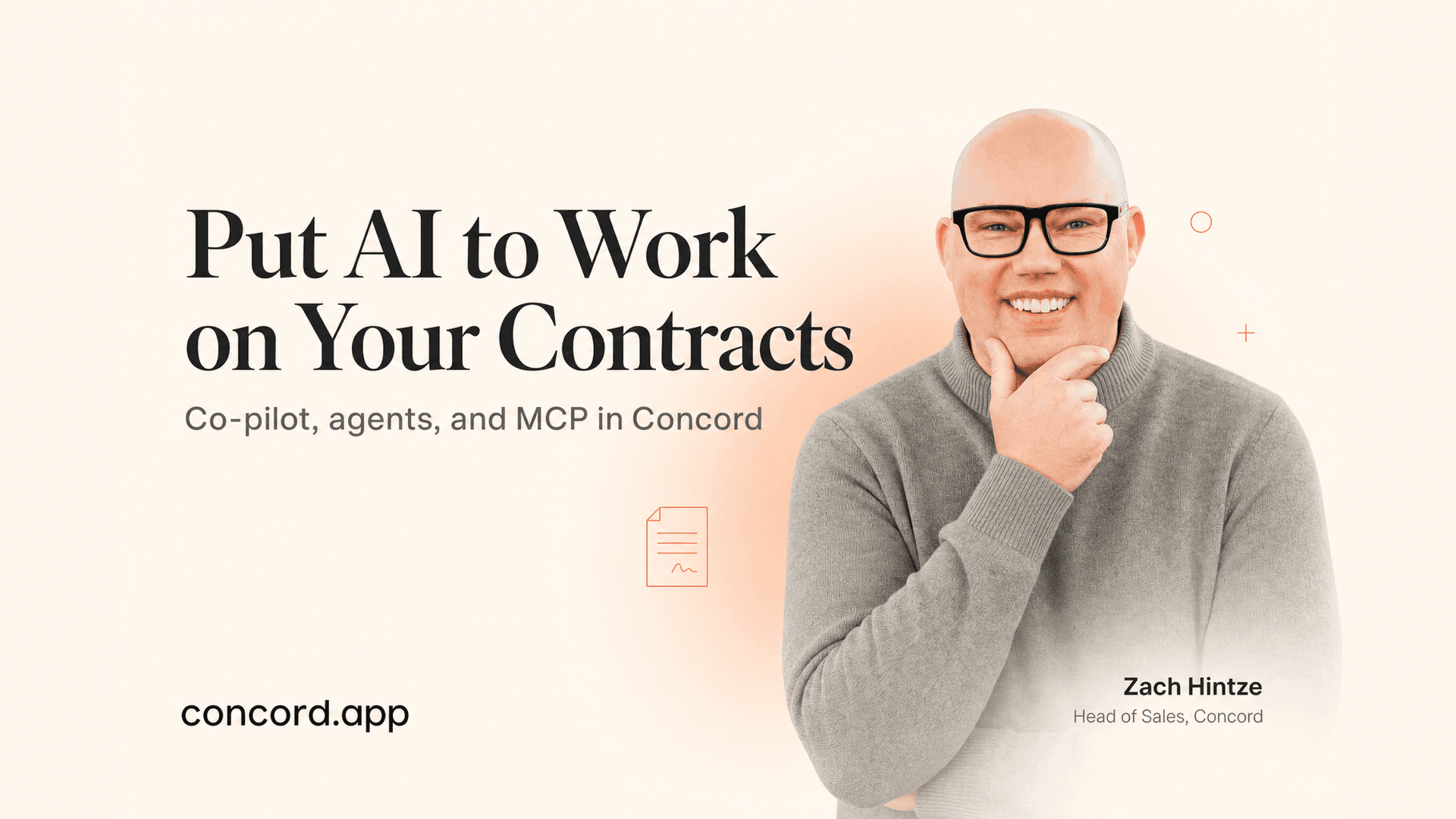

Cool. Let's go ahead and get started. Just as a quick way of background, I am Zach Hintze. I'm the head of sales here at Concord. I've been with Concord for over 10 years now. I'm based in Salt Lake City, Utah, just south of Salt Lake City, Utah, and happy to be giving the webinars always today. We did not have webinars last week because Concord and myself were at Legal Week in New York. It was a great event, great to get out there and see other vendors and see some of our customers and just be able to meet some new people that were in the market for contract management. It was a really good time and also just always good to be in the city and see how things are going there. A quick way of jumping in, let me just jump right in here.
What I'm going to do today is actually walk you through a full contract life cycle. As I walk through the life cycle, I will be talking about how AI can be used across that whole life cycle. Everything I'm going to be showing today is in Concord Horizon. It's in our new platform. Horizon was released, as a reminder, back in December officially. We are going to continue to update Horizon and just make it more and more powerful as we go. There's a lot of exciting new changes coming soon. Today, we're mainly going to be focusing on the AI copilot that's in the document level, the system-wide copilot, the AI extraction, the AI extraction agent, and the MCP server.
Those are all the main AI features that we have in Concord up to this point. I'll be demonstrating how all those things work inside the system. To start out, I'm just going to go ahead and take a document from outside of Concord. I'm going to upload this right into the tool. To do that, I drag and drop it here. Then I click the upload button. For this first use case, let's say that we've got a contract from a vendor or from a customer or partner, whoever, and we want to be able to review that contract in the system. I'm going to go ahead and upload it here as a draft.
I'm going to keep it in live mode. I'm going to update the title real quick, just like this. I'll put it into a folder, and then I'm going to save that right to Concord. This is how you upload documents in Horizon for those of you that are not currently on Horizon. It's a very different process. I think it's a lot smoother process than it was with the old system.
It's very easy to bring them in. Once you upload it, of course, if it does have existing markups or red lines, those are going to be imported. Just like always, this one did have some of those from Microsoft Word, so it's brought those right into the document. In this case, I'm going to go ahead and clean this off, make sure there's no pending changes. Of course, I could start my review without that. Now I'm going to go ahead and just click into the Concord Copilot. This is our first AI feature I'll be demonstrating. Anybody that had tested out this Copilot up until about a month ago, if you haven't used it in the past month, it is dramatically better. We actually released a whole new version of this Copilot about a month ago. It is now powered by OpenAI or Chat2PT. Before, it was using Gemini, and it was pretty truncated in its responses. Now we have much more complex and much longer responses than it's going to give us. If I come in here and just say, review this document for risk, it's going to give me a nice assessment.
Of course, the better the prompting you give it, the better it's going to return. If you were to tell it what industry you're in and what things maybe you're concerned about, what things you usually look for, we have some customers that just have a copy paste prompt that they're using on all their doc review. That's just going to make the response that much better, but it'll do a good job here of reviewing the document and kind of breaking down all the different things to look out for within that document. It'll go ahead and kick that out now. It's being a little bit slow right now, a lot slower than it usually is, but usually it's pretty quick.
It'll give me some legal risk and financial risk, operational, things like that. I could come back in here and ask it to get more specific about certain sections. It's creating a table for me. There's lots of different things it's doing. If I wanted to write a response to this vendor about the contract, then it can do that as well. It just wrote this email language for me about the things it's concerned with, and that's pretty much it. It's pretty powerful. There's a lot you can do with it.
It's using the full strength of OpenAI on the back end to power this, and so yeah, there's quite a bit you can do with it. Also, the first thing to show is the document level of pilot. You can ask questions. You can do contract reviews all directly inside the application. Now, let's say that we want to go ahead and get this contract signed. I'll give you some basic Concord use case here. I'm just going to add a few signers, one external, one internal.
I'm going to use a preset signature block so I don't have to add the signatures into the body of the document, and I'll leave off the signing order for now. Once this is ready to go, I can share this out to my external team member. I really need to turn off the need to tag things. There we go. I'll just add in Mike here, choose edit rights, put a personal message in, send that out.
Just the usual. Mike will be able to come in, review the document with me. We can negotiate that and get it signed here through Concord. The next phase is once a document is fully signed, I'll go ahead and sign it there. Once it's fully signed, the next part of our AI is going to kick in, which is going to be the AI extraction. I'll talk through that next. I've now got my document.
I'm going to move this to final signs because I'm not going to get the other person to sign us. I'll just finalize signing here. We're good to go. As soon as this document is marked as signed, as you can see over here, that autofill is going to kick in and it's going to start filling in all the different information data points here. I'm going to jump to one that's already been filled in just for time's sake. It only takes a few seconds, but I'll just jump over here to one that's already been filled in. I want to talk about the standard extraction as well as our new custom extraction agents. Here I've got a contract that was previously signed elsewhere, uploaded into Concord, and our AI has automatically extracted out the key details. It's going to fill in the agreement category, the document type, the parties, creates a quick description for us, fills out your lifecycle details, and then also fills in those key terms, which is the total agreement value for now. All of those are just standard extractions that we look for in every document. If those things exist on that document, we're going to fill them in.
Now on top of that, the thing that we just released very recently, we now have our custom agents for extraction. Here I can come into my new agents view and I'm able to click into one of these extraction agents. If there's other data fields that you want to find on every document or keep track of on every document, which I'm sure there are, that's where you can build these custom agents. Right now I have governing law, limitation of liability, indemnity clause. Yesterday I was building an insurance one on the webinar to look for insurance amounts on contracts. Pretty much anything that you want to extract on a contract you can. I'll just show you how to set up a new agent real quick here. Let's have it pull one for total contract value, which I know it already does, but I'll just kind of show you how this works in the system. I'm going to come into my copilot here when I'm creating a new agent. I'm just going to say total contract value, and it's going to work with me on this. Yeah, see, it already knows.
Do I want this as a monetary amount so you can sort filter by value or did you have something else in mind? Monetary amount is good. It's going to create a new field for me. All fees will be good. It'll kind of work back and forth with you to actually set up this agent. You should get used to this because our new agents we're building for playbooking and for like auto redlining and things, when you first set them up, it'll be a very similar way that you set up a new agent.
You'll actually work with the AI to build what you want, and then it's going to generate that for you. Right here to find it correctly, what wording or labels most often appear in this amount. Usually it's annual amount or amount. Of course, the AI will still do its best job to kind of find everything. But it's asking me to train it a little bit here, which I'm doing.
If no amount, leave blank. Great. This has a lot of questions for me, which is good because then it'll be more specific. And there we go. I finally kicked out at the end here. So it's got my total contract value field. I'm going to click validate options. So up here, as you can see, the objective is that it's going to capture this information. The property has been created, the total contract value. It's a monetary amount. And I don't have the test results yet. So now I have the ability to actually test some documents and actually have a pull those documents, the amounts on those documents for me.
So I'm going to go into my cells. Let's see which folder. I'm going to figure out which folder has contracts in it. So I'll just go like that. I'll confirm it. And so now this is actually going to start testing to see if the agent will be able to pull that data point in some of these documents. Obviously, you're going to want to test it with documents that might or might not that, you know, hopefully will have that data point in them so it can pull that for you.
And it's going to go ahead and just test that first. And then we'll be ready to, oh, looks like it's working just fine there on all those amounts in. And I can also hover here. So like right here, it search the search compensation fee and expense sections as well as any exhibits. So like it'll give you a breakdown of every document that is looked at, where it pulled that information from, when it found. And it's going to be different for each one. So it's pretty cool. It actually does a good job to find everything. If I were to click on this, that's going to take me into the actual document itself. And then if I were to come in here once I'm done with everything, I'll just say it looks great.
And that's going to let me create this in the tool. So I'm approving that. We're good to go. We validate it. And we are set up. So now when I want to run this against some actual documents, I have my agent. It's ready to go. So now I just come in here to activate. First, I need to add my filter. I'm going to go. So you can choose what you want to run this against. Do I want to run this against just certain documents in a certain folder, which I could do? Or do I want to run it against all documents in my whole database?
And remember, if that amount's not in there, it just leaves a blank. But I'm going to go ahead and add all documents. I'm going to click activate. And now it's running. You just let it do its thing. So it's going to actually go into every one of those documents. It'll look through them. It'll see if that field exists, that data point. And it's going to put that into a field inside of the documents metadata there in the summary sheet. So that's it. That is why I have to click run. Sorry, that's the last step. So now it's running. The status is here. And you can actually click into the audit trail as it's going. And it's going to show you which documents it's working on and all that type of stuff. So if I click in here, it'll start pulling them in here in just a minute. But it's cool because you can actually see what it's doing as it's working.
It's probably just setting itself up right now. But yeah, pretty cool stuff. So that's our custom AI extraction agent. If you have any questions on any of that, please let me know. Put them into the chat or the Q&A. So, so far we've talked about the document level copilot. We've talked about the standard data extraction. And we've talked about our new AI extraction agents that are going to be fully customizable here in the system. So that's all there. It'll just take another second. Question here, our agreements are confidential and the information and the people we are working with on contracts is as well, of course, definitely. Additionally, we're gathering information on their insurance policies, bank details for payments, et cetera, for all the AI tools. What are the data security controls so that ChatGPT isn't saving our data and learning from our usage of it? That's a great question. Thank you for reminding me to talk about it. So with all of our AI providers or any of our providers in general, but specifically with AI, we do have an agreement in place with them. We use the commercial version. This is not just like ChatGPT that you buy off the shelf. Like this is the commercial grade version. And we have what you call a zero data retention policy. What that means is they don't have access to your data.
They don't use your data for anything. And they don't, they, especially they don't train the model on your data. There's a really interesting thing that happened just this week. I'm not going to name any names, but there is a very large provider in the contract world that came out and said, Hey, we have just processed X amount of contracts through our system dollar wise.
And all the replies were like, well, how would you know that information? Because you're not supposed to know anything about the contracts in your database. The good news is we don't know anything about the contracts in our database because of how our data security works. Everything is encrypted. The only people with the encryption keys are the users. Like even us on our tech teams or dev teams, if they were to try to look at your data, they don't have access to it. They just see, it would just look like mumbo jumbo to them because they don't have the encryption keys.
So just know that your data is extremely secure. That's the number one, you know, topmost priority with Concord at all times. And so as we were building out these new AI features, I mean, we're SOC one, two, and three compliant. Like we have to have all these things in place. And with this AI specifically, we have that zero data retention policy. So they don't have access to your data. We don't train any of our models on any of our customer data. We have, we actually have a data set. It's like about 20,000 documents that we train our model on. And so that's, it's none of our customer data that we train it on. But yeah, good questions there. And we don't know what's in your contracts. We don't know who you have contracts with. That's kind of how the system should work, right? So that is how it works. Great. Any other questions? Let me know. Otherwise, we'll keep going. It's always funny. Sometimes I'll get chats from some of like our customers, customers, they'll be like, hey, I'm trying to sign this contract. And, you know, I need your help with it. And I'm like, well, we don't have any access to your documents. So unfortunately, we can't help you. You're going to have to reach out to the person that sent you that document. So yeah, just know that it's extremely secure there. Cool. So moving on here, I've got my, I'm going to talk to the new, the next AI feature, which is our built in system wide copilot. So the idea behind this copilot is that it has access to your database and Concord, not just a single doc level, but across all documents. So if I wanted to have a builder report for me, or search all documents that have a certain clause or term or language in them, I can easily do that here in the system. So just like this, I'm going to say, hey, create a report for all contracts with amounts over 100,000. It's going to be able to easily build that report for me. And I could then come in here and be like, you know, of these contracts are any super high risk. And so you can just kind of go back and forth, work with it, like you'd work with any other LLM. And it'll pull all those things up there for you. I'll probably take a minute for it to go through all those documents and kind of a big response, actually. There we go. Yep. So the last thing, and I could, I could, of course, get more in depth with it if I wanted to. So that is our system wide copilot. What this is really useful for is asking questions about things in the database, asking it to build reports for you, to surface a bunch of documents for you. Those are the types of things that you can do with this.
And I almost forgot that there is another AI feature. And I completely skipped this on our webinar yesterday. We do have our new AI powered search. So when I come into this plus symbol here and I turn on the search, I'm now using the AI powered search in the system. And the cool thing about the AI powered search is it's not just keywords. You can also ask questions of the results. So I can be like, Hey, I want to see call all contracts ending expiring between this date and this date. And so it'll be able to actually generate that report for me.
Now, one of the really cool things in Horizon that we don't have in Concord Classic, as you know, the search in Concord Classic, like you do the results, it puts you into that one screen, but it's very limited what you can do with the results. You can't really save them. You can't really export them. You can't filter them. We want, when we generated, when we created Horizon, we wanted to make sure that that would be very customizable, the results themselves. So we actually pull the results up here in your inbox view. So as you can see, like this is the search result. I have all of my different columns here that I can still, you know, customize the results.
I can still filter these. I can export them and I can even save them. So there's a lot of different things I can do with this. And that's just not stuff you could do with the old version of Concord. So something that just makes this a little bit easier to use. The other thing that our customers love, and I'll just plug this really quickly as we have a second here, when it comes to reporting, this is like a math, I was actually just on with the customer a couple of days ago and I showed them this. They were blown away. In the old version of Concord, it's kind of annoying because you either get all of the data when you do it, like we called it an advanced export, which either gives you all the metadata on the contract, or you have the simple export, which gives you some of the metadata, but probably not the data that you're looking for. With Horizon, we give you specifically what you have in the report. So as you're coming in here and adding your fields and your columns, you've got your report set. When I go ahead and export that out into an Excel or CSV file, it's only going to give me that data. It doesn't add anything else in the export.
So that's another big improvement that we've made with Horizon. Okay. And now into probably the coolest feature that we have in the tool, though there's a lot of cool features, actually. I personally think that custom extraction is the coolest feature because it's just so useful. There's so many things you can do with it. And being in Concord for 10 years, I can tell you that is one of the most requested features that we have had in the past 10 years, is being able to pull custom data fields out of your documents. So it's really exciting that we have that. But another really cool one is this MCP server. And I'll quickly talk about what MCP is for those of you that don't know. MCP stands for Model Context Protocol. So the idea behind an MCP, this is a very new thing. They've been out for a little over a year now.
So they were actually invented, the MCP was invented by the company that created CLAWD, which is Anthropic. And so they wanted to have a standard way for different tools to connect into like CLAWD or ChatGPT or these different LLMs. And so they generated, they created this MCP. The way it works is it's similar to like an API where it connects different systems together and pushes and pulls data, but it's a standard protocol. So it's just very easy for people to be able to connect to it. So CONCORD has built that MCP connection between CLAWD and ChatGPT so far. And so what you can do is you can be in CLAWD here. Let me pull that over real quick.
So if I'm in CLAWD, I'm actually connected directly into my CONCORD account. So if I come in here to connectors, you'll see I have CONCORD here. And so when I ask questions here, it does have access to my actual CONCORD account. Now, one thing to mention about this integration, as well as all the AI in the tool, it is going to be based on your specific permission set. So if you have permission to see a document in CONCORD, right, you'll be able to see that when you do like an AI search or different things, if you have access. If you don't have access to those documents, they won't show up in your search results. You won't be able to have AI like help you find them because that's how the permissions are set up. So from here, though, let's say that I want to do something really simple, like I want to have it find a document for me in CONCORD and then do a quick assessment of that document, which you don't necessarily need to do that through an LLM.
You could do this directly inside CONCORD with our copilot like I just showed you, but I'm just kind of showing you some of the functionality here that you could use it for. So I'm having it find this contract for me in CONCORD and then, you know, highlight the rest of my business. And the cool thing about CLOUD is it has all of that. If you've been using ChatGPT or CLOUD a lot, it's going to have all of that background on you and your company and what you're doing because you've been using the tools. And so I do find it to be more powerful than doing it in CONCORD sometimes because we're not in memory mode. So this will be able to kind of help with that. Okay, so it's going to do its thing and evaluate that document.
I'll just give that a second there. And for those of you that are using these tools a lot, some of you may have started building agents using like CLOUD code or different things. You could use the MCP to help build those agents as well. There's a lot you can do with it. So it's going to break some of those risks down for me.
Bottom line is no major red flags, but two things worth addressing. And so I can do the same thing here to respond to this vendor. And it'll generate that email for me, and then I can send it out. And the cool thing about the MCP in general is that this can be connected, like I personally have it connected to all my tools. I have it connected to HubSpot, I have it connected to my email, I have it connected to Slack, to CONCORD, and other tools too. So like it's just a really easy way to be able to have it, like it can go into all these different tools and do things for me.
It can drop this contract or this email for me, it can open that up in my email before I send it, it could send it without me ever touching it. It can also post directly to Slack. So if I write a Slack message here, I have it rewrite something for me, it'll actually just post it directly to a channel. It can go into HubSpot and update my deal and add deal notes to it or advance my deal to the next stage. Like these are all things you can do with an MCP. It's pretty cool.
So this is going to generate that email for me. And then I was going to just show one other use case if we have time. We may not, but if you have questions, let me know. I know that we're getting close to time here. Hopefully you can see, actually I'm not going to go to the next one because I need to talk about the roadmap. So but just to give you an idea, it'll kind of generate that contract for me.
So that's the MCP connection, allows you to connect your LLM directly into Concord and gives access to those different documents. Like I said, it is all back behind the security of the system as well. Now, what I want to talk about last as we're wrapping up is the roadmap. So here we have our upcoming roadmap. So this is the roadmap that we're going to talk about.
So here we have our upcoming roadmap. Some of this, not a lot of this change, probably in the past like month or so, it's about the same. We did just release our custom extraction. So this is now live. If you're on Horizon and want access to this, we can get you access. Like it's something we just, we just flip the switch and you can start using it. So if you are on Horizon, just let me know and we can turn that on. But this is available. What we're working on right this is available. What we're working on right now are the agents for contract playbooking for contract review, the clause analyzer, things like that. So just allowing you to upload a document, it does its first pass based on your playbook. It can be like the initial red lines for you and some different things there. So that's something that the team is currently working on.
We're pretty far along with it. I think we'll probably have it in beta in the next maybe couple weeks here, probably release in the next one, two months. So we're pretty close to that coming out. We do have our new report sharing feature where you can share reports to other teams across the company. We have a whole new notification center that's coming out to make that much more granular so that you'll be able to send notifications to like only specific people that should get them instead of everybody that has access to the document. So we're just reworking a lot of things on the back end. But I think the biggest improvement that you'll start to see happening are the agents that we have coming out. That's going to be a really big feature in the tool. And then we're going to later this year we're going to work on redoing the entire like document view and all the negotiation tools and the e-signature. Like all that's going to need a refresh at some point this year. So lots coming. It's going to be a very busy year here at Concord for sure. But yeah, hopefully you've learned something today. If you have questions, let me know.
If you're interested in upgrading to Horizon or have any questions about your account, feel free to reach out to me directly, zac.nc.concord.app, or you can reach out to our support team as well. But I'm more than happy to help with any of that. Awesome. Well, thank you all for taking some time. I don't think there's any questions. So have a great rest of your day and we'll talk to you later.

Take the "management" out
of contract management.
© 2025 Concord. All rights reserved.

