
- Horizon, Concord's AI-powered platform that launched in December, includes a platform-wide co-pilot you can use to generate reports (e.g. all contracts over $100,000) and surface documents by terms or language.
- The new AI-powered search lets you ask natural-language questions like "contracts ending or renewing in 2027 with their values" and then filter, add or remove columns, and manage the results directly.
- Inside a document, the co-pilot can review a contract for risk, generate an executive summary, and even draft a leadership email of the key risks and deal points; it runs on OpenAI with a zero data retention policy and no training on customer data.
- AI data extraction automatically OCRs uploaded contracts and pulls out standard fields (parties, effective date, duration, renewal, early termination notice) plus fully custom fields you define.
- Custom extraction agents are built through a guided prompt, tested on 10 documents, then run across your entire existing database; the extracted fields feed reporting, filters, and exports.
- Concord's MCP (Model Context Protocol) connectors for Claude and ChatGPT let you query your contract database from those tools and chain actions across connected systems like HubSpot.
Most teams sit on thousands of contracts with little usable data attached, making it slow to find renewals, surface risky language, or pull the metadata they need for reporting. Manually reviewing agreements and keying in fields one by one doesn't scale, especially during implementations or bulk uploads.
In this session, Zach walks through the AI features in Concord's Horizon platform: the platform-wide co-pilot for reports and document discovery, AI-powered search with manageable results, in-document risk review and executive summaries, automatic and custom AI data extraction, building extraction agents that run across your whole database, and the MCP connectors that bring your contracts into Claude and ChatGPT.
 Zach HintzeConcord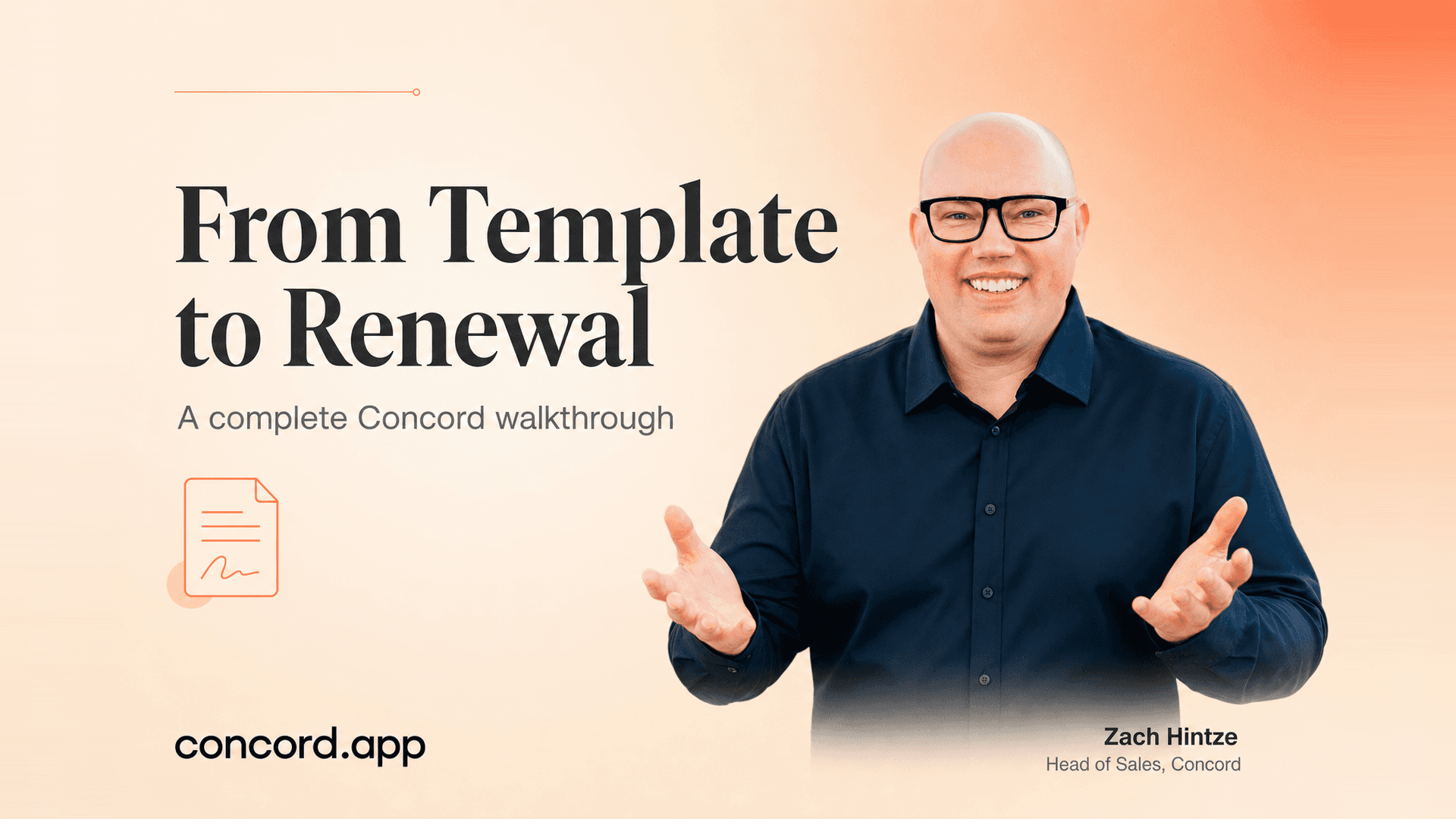

All right, we can get started. So today we're going to talk about AI and Concord. We're going to go ahead and walk through some of the different AI features that we have in the platform. If you do have any questions, feel free to put them into the chat or the Q&A, and I'm happy to take them as they come up. So that is really the idea behind the webinar today.
For those of you that don't know me, I'm Zach Hintze, the Head of Sales here at Concord. I've been with Concord for a little over 10 years now and based out of Salt Lake City, Utah, and happy to be giving you the webinar today. If you do have any questions, feel free to reach out to me there at my email. We also have our support email as well, so you can reach out to either one of us.
If you see the system looks a little bit different than I'm showing you, that's because I'm on the Horizon platform, which is our new AI-powered solution that came out in December. If you are interested in upgrading to Horizon or want to know more about what that plan looks like or what the pricing would look like to move to that plan, feel free to reach out to myself.
So zach.kinsey at concord.app. Oh, I don't know why that's flipping. So yeah, feel free to reach out to myself if you'd like. You can also reach out to support as well. All right, let's go ahead and jump in. We have a lot of new AI features in the system. We have a lot of exciting things that should help make your work easier, and we are about to release a number of additional AI features as well.
So what we have right now is kind of just the beginning. We have many, many things on the way. But the first thing that is AI-powered in the system is our new co-pilot for the entire platform. So we call this our platform-wide co-pilot. This allows you to do a lot of different things. We have our new AI-powered search here.
So you can use that to search your documents. We have our new support agent. You can create documents from here. You can do a number of different things. But the co-pilot itself, I could use this to build a report, let's say. Let's say I want to create a report of all contracts over 100,000. I can go ahead and generate that report here in the system.
And so really, you think about it, this co-pilot has access to all the documents in the system. Well, and for some reason, it's not working this morning. Let me refresh this. Maybe that's why. But basically, it'll generate that report for you. It'll pull that up in the system here. I can just go to one that has the results pulled already.
There we go. So basically, it'll just generate this report for you here in the system. It's also a great way just to surface documents. Maybe you want to look at all your contracts that have certain terms or language in them. You're able to use that AI to just go into your contracts and pull back those results. So that is our co-pilot.
That's kind of the first AI feature here to talk about. The next one would be the AI-powered search. So if I activate search mode here within the co-pilot, I can now come in and ask questions. So the cool thing about the new AI search that's different from the old search is with the old one, it kind of took you into that one specific place.
It was that search result window in Concord. And you couldn't really do a lot with the results now in Horizon. Not only are you able to search based on a lot more parameters, like I asked a question here, contracts ending or renewing in 2027 with their values and amounts, which it pulled back these results. The cool thing is with the results in Horizon, you're able to actually manipulate and manage them.
So I can come in here and filter them. I can add or remove columns based on different filters. So just a number of different things I can do directly from here. So that's all built right into the system there. So that's our new AI-powered search and our system-wide co-pilot that are in the system. Both are good now. They are both getting worked on, and improvements are getting made all the time.
So those will get even more powerful here very soon. So that's all there. We do also have a couple other AI things. So on the document level itself, let's talk about that real quick here. I was like, there we go. There we go. So we will jump into a contract that has not been signed yet. So we'll jump into a contract interview.
And actually, I'll show you this process. We won't do it from here. We'll do it from a contract from outside of the system. So let's say that you were to upload a contract directly into Concord, just like this. We'll bring that into the tool. I'm going to upload this as a draft, live mode. I'll update the title here. And then I'll choose the folder that it's going to live in real quick.
And we'll save that. So here, we've got a document that was uploaded from outside the tool. This one does have some markups in it. And so I can see those here. Now, where we can use AI first with this document is our copilot. So I can come into my copilot that's here in the document view. We don't use Microsoft Copilot to power this.
I get that question all the time. Like, hey, what is this? Is this Copilot? You know, when you're using Copilot, you can't use Copilot. I get that question all the time. Like, hey, what is this? Is this Copilot? You know, what is it? We're actually using OpenAI behind the scenes to power this. So that's what's generating the results.
We do, of course, have a zero data retention policy with them. And so none of your data gets shared with them. They don't train the model based on any of our customer data. We don't train anything on that data as well. So it is extremely secure. But I could come in here and just say, you know, review this document. Review this document for risk and create an executive summary.
So the AI will go to work and it will do its thing. Now, I get a lot of questions on, you know, is there a way to train this for you as a customer to be able to say like, hey, these are things that we're good with. The answer is right now, this is just a general response based on the general model itself. We do have plans.
Well, not only just plans, but we are about to release in the very near future, our playbook feature, which allows you to actually like build your own playbooks and train the AI the way that you want it to be trained. We're very excited about that. So you'll be able to have like a playbook where it's like, hey, these are my standards.
These are the things that I, you know, want to adhere to. And the AI can basically do the assessment and the red lines off of that. But for right now, this still works pretty well. It gives you that nice, clean kind of review and information. So I've got an executive summary here. I've got all the key risks that have been identified, you know, strengths and overall risk assessment.
So kind of a nice overview here. And of course, the more I ask it, the more it can give me responses there. So that's our built-in system co-pilot for contract review. You can, you know, I could also be like, hey, now write me an email for my leadership team so it can draft an email for you to give you all the key risk and provisions and deal points.
So anyway, just lots of different things you could do with this here inside the tool. There you go. The other thing that we have in the document level view is our data extraction, which I'm going to talk to, I'm going to go to a different document here to be able to show you that whole process and what that all means. So I'm just going to jump into a contract here that's already been signed real quickly, just like this.
So here's a contract that's been signed outside of Concord and uploaded into the platform. I have that here in the system now. And up here on the top, this is our summary sheet, of course. This is where you get to all the metadata about the contract. So if you ever need to see that, that's where it is. So as soon as I brought this contract into the system, we run it through the OCR to make it fully searchable.
That way you have a text copy of the agreement. It looks just like this in the system. You don't need to go look at that, but just in case you're ever curious, you could go look at that. It's just under the revisions here and then OCR version. It only is going to create that if it is a PDF or text, like a scanned image PDF or text PDF, that's when it creates the OCR copy.
Otherwise, if it's a Word doc, it doesn't need to OCR because it already has access to the searchable format. But it's going to take that information and it's going to extract that out here into the system. So we have our standard extracted fields and then we have our custom extracted fields. So I'll show you both here, but AI is going to be the thing that pulls these out.
So we've got the agreement category and doc type. We've got the parties. So who the contract's with. It also creates a description for us. It fills in all of our lifecycle details. So when the contract was signed, the effective date, the duration, any renewal information, of course, and then last of all, an early termination notice if one is required.
So if the contract says, you know, hey, you've got to notify us 60 days or 90 days before the contract ends. And if you want to cancel it, it's going to pull that out as well. So the AI will pick all that up. And then down below that, we have what we call our custom extracted properties. So these are additional data fields that you can pull out from your contracts.
And this could be literally anything. I work with a number of different types of companies and they pull out really, really custom things. So maybe, you know, I work with a winery and they pull out specific fields, you know, based on the wineries that they work with. I work with school districts and they have other things.
I work with transportation companies. Like they're just, it could be literally anything. So I'll show you how to set up these agents in just a minute, but just know these are all the custom extracted fields. This is what they look like and where they go on the document itself. And the cool thing about the custom extracted fields is once you have that data, you can pretty much do anything with it.
You can build it into the reporting. You can filter with that data. You can export it. I mean, you know, lots you can do with it once it's there in the system. And then down below, you can also manually enter some different fields. You can manually link your documents, et cetera. But the AI is going to do the heavy lifting to pull out the information within your documents.
And that's one thing that, you know, over the past couple of years, we've had this extraction. And now that we recently decided the agents, it constantly like really blows people's minds. They'll upload all their thousands of documents. The AI does the thing and they'll be like, wow, I just have all that data. Like it's here.
It's pretty cool to see that, so. And if you have data in Concord and you haven't run the AI on it yet, you still can. I mean, we can pull the extracted data anytime that you would like. And we can also use the custom agents anytime you'd like as well. So let me know if you have questions there. Where we set those agents up.
So let's talk about that. I'm going to go back into my inbox here. And I'm going to come down to my agents section, which is right here. So these are the agents that I have set up in the system, just like this. And so these agents are looking for very specific fields within my contracts based on what I've trained them to do.
And we can go ahead and just build an agent in real time here. Let me see if there's a question. I'm going to go new agent, but let me see if there's a question real quick. I think there is. It says, hi, when we use Copilot on a document, does it search the web for answers or only the contract? It's using, it doesn't like search the web.
It's just using the, you know, the LLM that we use is OpenAI. So it's just using their model, which has the information in it already to be able to assess that document based on what's in OpenAI. So basically like, it's kind of like ChatGBT. It's a little bit of a different model. It's a commercial model, but that's what it's using to generate the responses.
Hopefully that answers your question. And if anyone has other questions, please let me know. So let's talk about creating an agent here in the system. So here we've got a, our AI prompt. This is where I can come in and tell it what I want it to build. So I've got a lot of different agents in here for different custom properties and things like that.
How about we do something based on contact information? So I'm going to say, I need a field. I'm going to build a field for contract and email inside of a document. So it's going to come back and ask me a couple of questions here. And I'm going to give it responses. So it'll kind of walk me through, okay, this is what we want to look for.
It's going to set up this text field, as you can see. And it'll ask you things like, where in the contract does it usually look? And what I have found is you don't have to be super specific with it. And you could even come in here and just be like, do your best. I like that one. And it'll basically just figure it out on its own and say, okay, yeah, that makes sense.
So it's going to do a primary contact name. It gives you the main contact. We're going to say other company here. This is not from my company. So it'll take a couple of prompts to get it to set up what it wants you to do. And then it'll generate that for me. So that's the field that it's going to generate for me and look for that in my contracts.
Now, if it doesn't, if the contract doesn't have that contact information in it, it'll just leave it blank. But it's at least going to look for that for me. I had one customer who really wanted this field because they do mention those in all their contracts. And so that's something I just helped them create the other day.
So once it creates the field for you, as you can see up here, I've got the other field that I want to look for. And I'm going to say, create the field for you. As you can see up here, I've got the objective. I've got the property here. And I'm now ready to do a test on some documents. I'm going to browse real quick. I'll come in here to a few documents.
I'll do these board of directors documents. I'm going to select them. So it has you test on 10 documents, just like this. And so now it's going to do a quick test for me and see if it can find that information, which looks like it did. There we go. Some of them do have that information. And this is a, this is my demo account.
Wow, there's actually more of them here than I thought there would be. You can also hover here and it's going to show you the people's names. So like right here, you'll see, this is a snippet from the actual contract itself. And it says Thomas Wright. This one, if we hold this over, we can see Richard Lopez. We can also see this one.
So like, it'll tell you where it's pulling the data from as you do that highlight. So it's kind of nice to see. I could also click into the document here if I wanted to as well. But once I'm good with all of this, it looks good to go. I'm going to say, looks good. And now that's going to validate my fields. And so we're ready.
I'm going to validate it. And so we now have that field that's ready to go to work. So I'm now going to come in here and add a filter. So I'm going to tell it what documents I want that to be run on. I'm going to say all documents. So we'll just pull it for everything. I'm also going to click activate here to turn it on.
And then I'm going to run that on the existing document. So I could turn it on. That just means it's on for new documents. But if I want to run it on my existing database, then I'll just choose that option. And it is now doing its thing. So it's going to run for me on all the contracts in my database and look for those contact names.
And it's going to pull them out from my contracts. And it'll just work behind the scenes. I don't need to stay here. I could go do other stuff. I could close Concord, doesn't matter. It's running. And then it'll start filling all those in. And you do have this audit trail here as it starts filling out. And it's empty right now because it's setting it up.
But this will start showing all the results from all the contracts here. Looks like we've got a couple of questions. Yeah, yep, it will, absolutely. So yeah, it'll run on everything that you have in the system if you tell it to do that. Yep, absolutely. Cool, so that is how you set up an agent here in the system. That's a very, very popular feature in Concord right now.
A lot of our customers are using it, especially for implementations when we bring thousands of documents in that don't have any metadata. It's a really great way just to pull that data from them in the system. So that's awesome. Or if you're a long-time Concord customer and there's certain things that you would love to surface because you don't have it in your contracts, this is a great use case for that as well.
So really for anybody that needs more data, this is how to get more data for sure. Awesome, let's go ahead and move into the last AI piece here, which is, unless there's a question. Oh, there is another question. Let's see. Can you pull agents into report? So you can pull all of the fields that the agents extract into report, yes.
They just get created as custom fields. Like these are the agent fields. And so like this logo use rates, that's an agent that's pulling. And so that now I could add it into my filters, my reporting, whatever you want. So yeah, it's not the agents themselves, but it's the fields that they're extracting that can all get added into reporting, yeah.
Absolutely. Cool, so let's go ahead and jump into our settings here. It is specifically for Horizon users. Yeah, I don't think it will ever be in classic because we're slowly migrating everyone over to Horizon over time. It is really a feature of Horizon, yeah. Let's go ahead and talk about the last piece here, which is our MCP connection.
So for those of you that are not familiar with MCP, it stands for Model Context Protocol. Essentially what it is, is Anthropic, the company that makes OpenAI, they created this about a year and a half ago, this new protocol. And it's a way for all of your different applications to connect into the LLM. So think Anthropic, ChatGPT, Gemini, all these different tools.
So far, we've only released Clod and ChatGPT connectors. But what this allows you to do is sit there inside of, let's say Clod, because that's what I use and have open here. You have the ability to come in and you have these connectors. Right now I have like my HubSpot connected, my Slack, I have Concord connected. I also have my email connected and some different things too, they just don't show up here.
But basically, it allows you to connect into these and then I can come straight into Clod or ChatGPT and ask questions about my contract database. And there's a lot of cool use cases for this. I just had a customer who wanted to, I've actually had multiple customers do this recently. They did a bulk upload into Concord and then they used Clod to deduplicate all their contracts.
So they'd sent Clod to dedupe, it went into all the contracts in the database, it created a report for them, and they were able to find all the duplicates very quickly within the system. And that wasn't because they were creating Concord that way, it's because they had all those duplicates in their documents as they uploaded them in the system.
So that's one use case I've seen someone use the MCP for in the past week. You could also use it for like in-depth reporting. Obviously, we have a lot of reporting in Concord, but if you wanted to really have it go to work and do some of that kind of deep dive knowledge, that's a great way to use the MCP as well. So lots of things you can do with it.
I'll just show you maybe one or two prompts because it does take a minute for it to run. Let's do this one. So I'm gonna come in here and say, which contracts are renewing next year? Give me a table with the amounts. So this is gonna actually go into the Concord platform, it's gonna find all those contracts. And it takes a minute because it has to like pull up all of its things, it has to log in.
There's a number of different things that it will need to do. And they'll ask you for a couple of permissions probably along the way, but it is really cool. And it's very, very useful. There's just a lot of things. Another thing that I use this for was I wanted, I had a customer who wanted to set up like 47 extraction agents.
Some of those agents that I just showed you there, 47 of them. And so I actually used Quad to take their lists and create their prompts for me so that I didn't have to create the prompts one by one inside of Concord. And then it was also able to connect into Concord to help with that prompt creation. It didn't do all of them for me, but it did help with that and gave me some guidance.
So that's another use case you could use for this. So there's just, there's a lot of ways you could use it. Pretty endless for sure. So right now it's kind of going through all the contracts and seeing what's coming up. It'll also, it's kind of cool to see how it works because it'll go through different ways to find things.
And every time you do it, I feel like it's kind of different, but sometimes it'll go in, it'll look for the reporting in Concord. Sometimes it'll just go into the contracts themselves. Like it's kind of cool to see how it thinks and what it's actually doing in the system. So there we go. So there we go. It looks like we've got the data that it needs.
And as you saw, I didn't even tell it that the data was in Concord. All my prompt was, was which contracts are renewing next year? Give me a table of the amounts. Because it's connected into Concord, it knows that that's the data source. So it knows that, hey, the contracts are going to be in Concord. And so it's pulling that information there.
And so here we go. It's pulling all the contracts in. Some of them have values, some don't, but it is giving us links to all the documents in Concord as well. And obviously you could do a lot more with this. Could you easily do this reporting Concord? Yes, absolutely. But this one is available here. There's a question, are the connectors only available on Horizon?
This one is actually available on both. So you do have the option to do both. This one is actually available on both. So you do have access to, as long as you're at an AI powered account, you do have access to this in class again, Horizon. Yeah, so to get to that, you just go to your, I'll show you in just a second, but you just go into the integrations and you'll see it.
So there we go. So it gave us all those contracts, created that report for us and kind of gave us a breakdown there. You can also use this to do like more advanced things because we have multiple things connected. I'll just start in your chat here real quick. Because I have multiple systems connected here, I can be like in Concord, find all NDAs with Acme Corp, check if we have open support tickets, which it will do in HubSpot and then draft a renewal email.
So like you could actually have it go into multiple places to run actions for you. This one takes a second. So it probably won't make you sit through the whole thing. We don't have time, but just giving you an idea, like you could actually run that through multiple different tools and have it connect them all together.
So it's kind of cool. All right, so that's the MCP. Feel free to play around with it if you have cloud to chat TBT currently, it is available there. So in Horizon, it's just in the settings here. And then if you're in the classic experience, let me show you real quick. I believe it's here. Yeah, I don't wanna speak out of turn, but I'm pretty positive that you can use it from both.
Because I know when I go into my automations and integrations here, it does show up. So this is in classic, this is where it is. It's just in the integrations. So we've got the connectors there. Awesome, well, the time flies as always. Thank you all for your time today. Hopefully you've learned something. Maybe, maybe not.
We'll continue to do these webinars. I have some very exciting webinars coming up in the next few weeks, because we are about to release some new products in the system and we'll be doing webinars on those things. So thank you all for joining and I hope you have a great rest of the day. Let me know if you have any last questions and I'll stick around for a second, but otherwise have a great day.

Take the "management" out
of contract management.
© 2025 Concord. All rights reserved.

