
Contract renewal alert software: a buyer's guide
Contract renewal alert software: a buyer's guide
Contract renewal alert software: a buyer's guide
Contract renewal alert software: a buyer's guide
contract management
Missing an auto-renewal date is one of the most expensive passive mistakes a legal or procurement team can make. Unlike contracts that expire and force a decision, auto-renewals punish teams that simply forget to act. The right contract renewal alert software eliminates this risk by surfacing the deadlines that matter, routing them to the right people, and creating accountability when action is required.
This buyer's guide gives you a concrete evaluation framework so you can compare vendors against the exact capabilities that prevent missed renewals.
Why auto-renewals are the highest-risk contract deadline
Auto-renewals are uniquely dangerous because they require inaction to trigger. A contract that expires naturally forces a conversation. An auto-renewing contract silently locks you into another term if nobody intervenes.
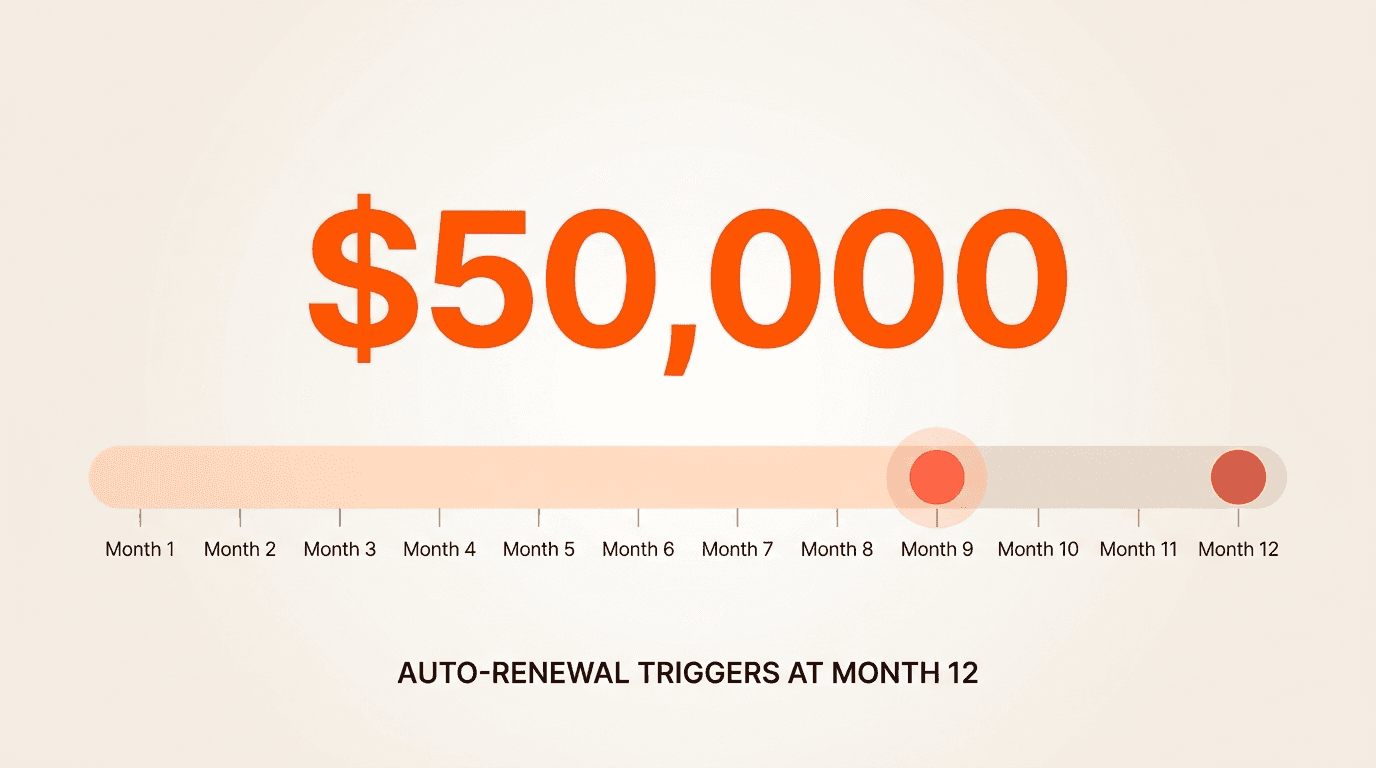
Consider the math: if your average vendor contract is $50,000 per year with a 60-day notice window, one missed termination date equals $50,000 in committed spend you may not have wanted. A 90-day termination notice on a 12-month auto-renewing contract means your actual decision window closes at the nine-month mark. If you are not alerted before that point, you are locked in for another year.
What contract renewal alert software should actually do
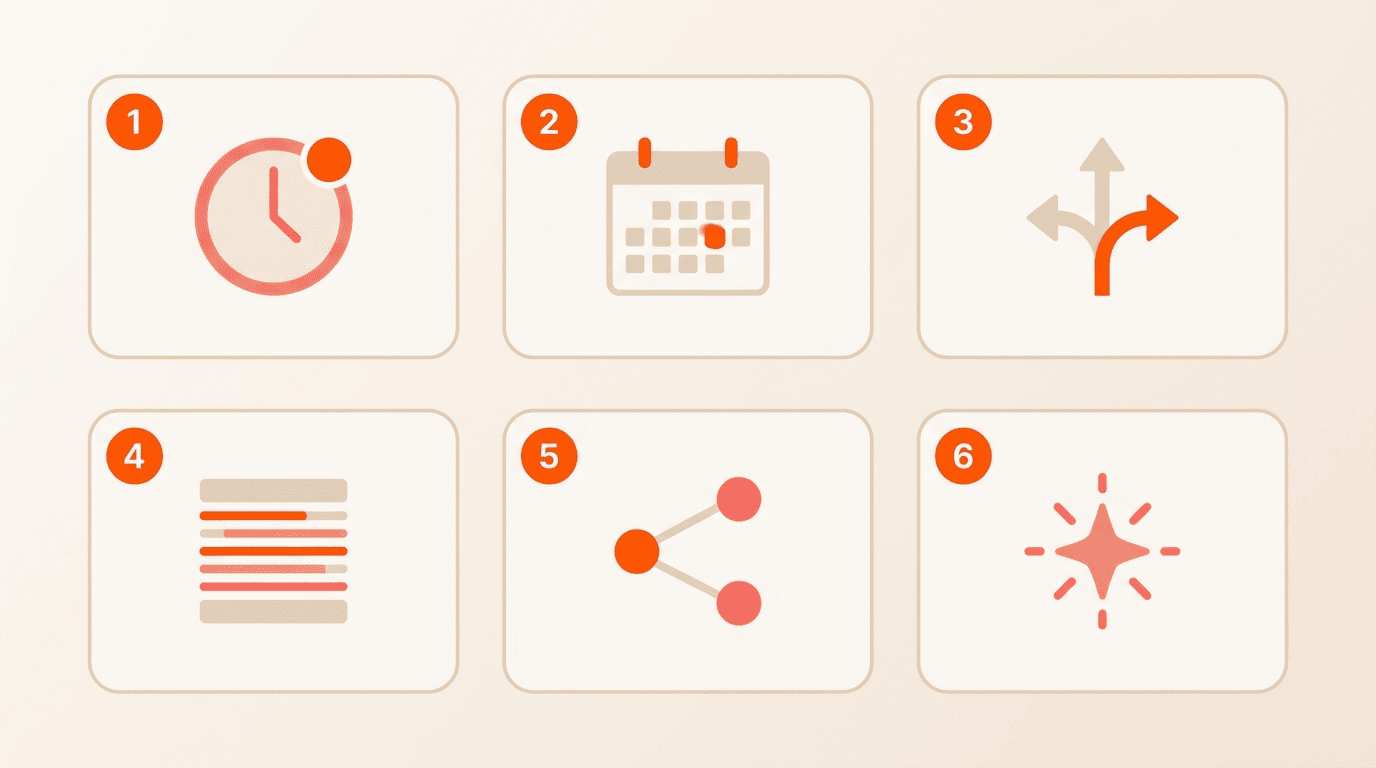
Not all alert systems are created equal. A basic reminder email 30 days before an end date is not enough. Your evaluation should cover six core capability areas:
Configurable reminder windows
Renewal date calculation (including notice periods)
Owner and approver routing
Audit trails
Multi-channel alerting and integrations
AI-powered data extraction
Each of these areas addresses a distinct failure mode. The sections below break down what to look for in each one.
Configurable reminder windows: one size does not fit all
Buyers frequently articulate a precise need: targeted alerts sent to specific stakeholders a set number of days before an auto-renewal date, not just a generic countdown to an end date. A software license renewal and a five-year facilities lease require completely different notification timelines.
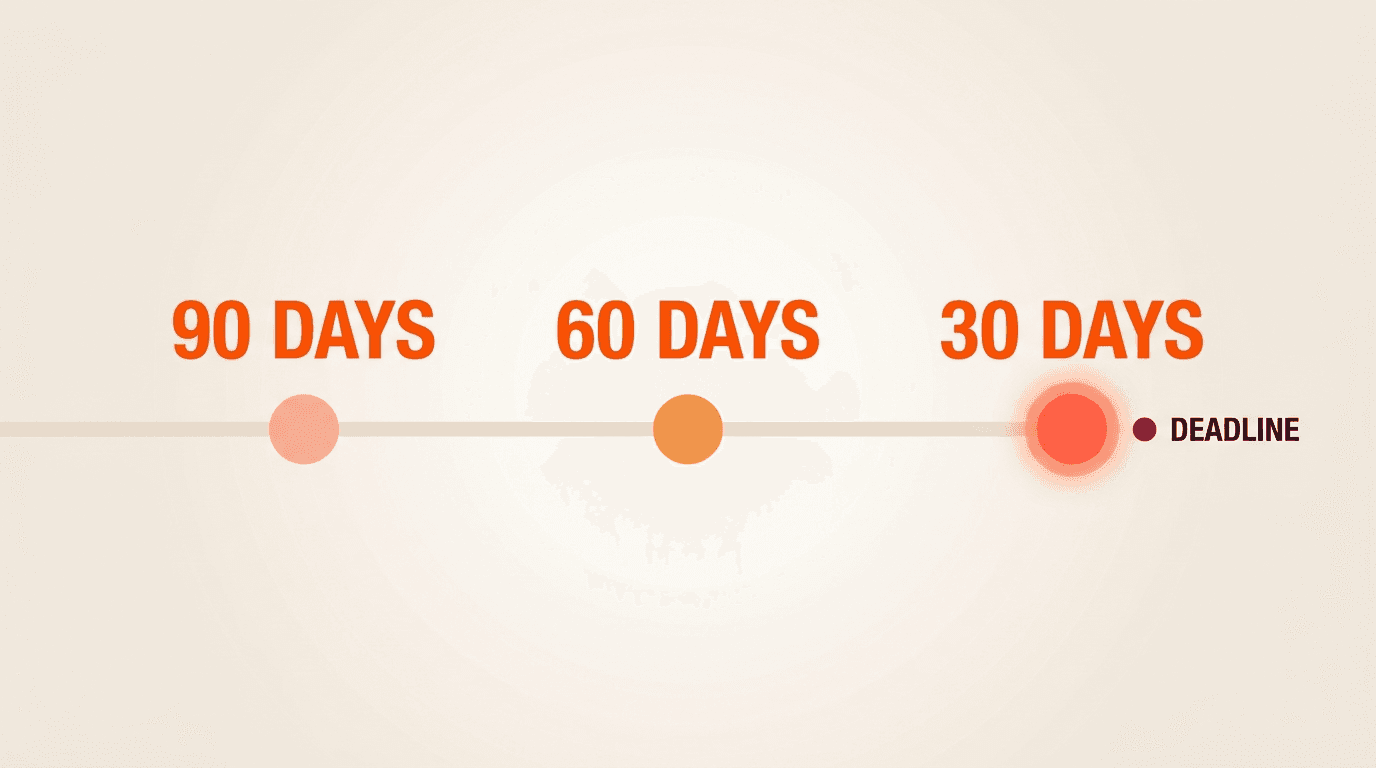
Your contract renewal alert software should let you configure who receives which alert, for which contract type, and at what interval. Look for systems that support multiple reminder stages (for example, 90 days, 60 days, and 30 days before a deadline) with different recipients at each stage.
Concord's contract deadline management capabilities let you set custom reminder windows per contract and route notifications to designated owners and approvers at each stage. You can also create custom deadline types for scenarios like insurance expirations or payment schedule milestones, giving you flexibility that generic reminder tools cannot match.
Renewal date calculation: the dates that actually matter
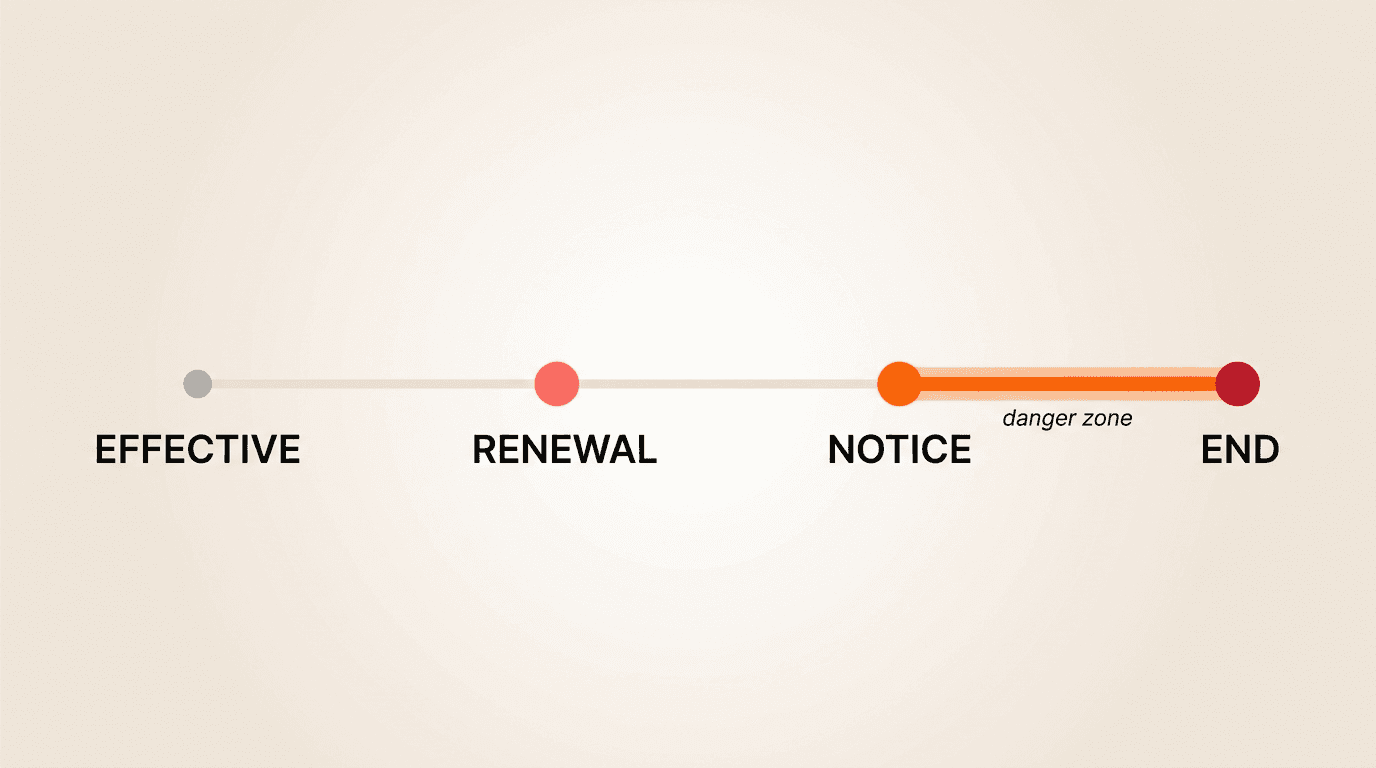
Here is where many tools fall short. Tracking the contract end date is only half the picture. Contracts with auto-renewal clauses typically require advance written notice to terminate, meaning the real deadline is the notice window, not the end date.
Your evaluation should verify that the software calculates and alerts on the notice deadline separately from the end date. A system that only tracks when a contract ends will alert you too late for contracts that required 60 or 90 days of advance notice.
Concord tracks multiple deadline types for every contract: effective date, end date, renewal date, and termination notice date. Each of these dates can trigger its own alert track, so your team receives the right notification at the right time.
Another critical distinction: the software should differentiate between contracts that auto-renew and contracts that terminate. Organizations with high volumes of auto-renewing contracts (sometimes 80 percent or more of their portfolio) report frustration when alert systems treat these the same way. Getting a "terminating" alert for an auto-renewing contract generates noise and erodes trust in the system.
Owner and approver routing: getting the alert to the right person
Simply sending a notification does not prevent a missed renewal. The gap between receiving an alert and taking action is where renewals fall through the cracks. Teams consistently report that users receive notifications and simply do not act.
Your evaluation should focus on accountability routing. Can the system designate a contract owner? Can it send role-appropriate, permission-filtered notifications without requiring manual configuration for every contract? A sales team member should not receive alerts for legal's vendor contracts, and vice versa.
Concord's permission-based access controls scope deadline alerts to each user's access level. You can assign contract owners using custom properties, and alerts are automatically filtered so each team member only sees what is relevant to their responsibilities. This is critical for multi-team deployments where alert volume can quickly become overwhelming.
Audit trails: proving who knew what and when
When a renewal is missed, the first question is always "who was supposed to handle this?" Your contract renewal alert software must maintain a complete record of notifications sent, deadlines tracked, and actions taken.
Concord provides full version history and audit trails on every document. You can see who was notified, when they were notified, and what actions they took. Linked documents, including amendments, extensions, and related agreements, are connected to the master agreement so the full renewal history is visible in one place. Learn more about maintaining organized contract records on Concord's document management guide.
Integrations: calendar sync, Slack, and beyond
Buyers consistently prefer calendar-based deadline views over email-only alerts. A visual calendar converts passive notifications into active commitments that appear alongside meetings and other obligations.
Your evaluation should check for:
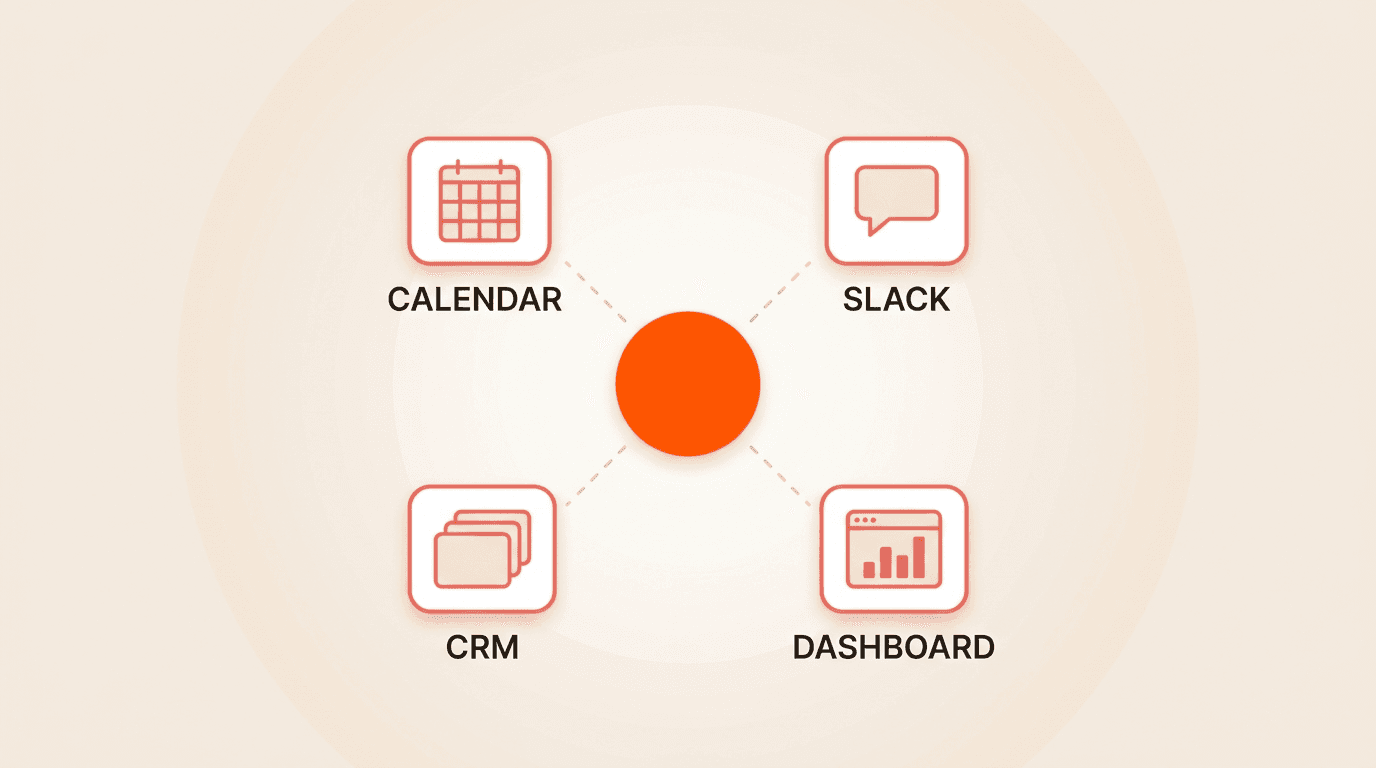
Calendar sync with Outlook and Google Calendar, so contract deadlines appear in the tools your team already uses daily
Slack or Teams integration for real-time alerts in channels where teams actively communicate
CRM connections (Salesforce, HubSpot) to tie renewal alerts to customer or vendor records
In-app dashboards with filtered calendar and list views of upcoming deadlines
Concord offers deadline calendar sync with Outlook and Google Calendar, Slack integration for deadline alerts, and in-app calendar views with filtering by contract type, owner, or deadline category. This multi-channel approach addresses a well-documented problem: email-only alerts lose effectiveness over time as recipients begin ignoring recurring messages and email clients deprioritize them.
Why AI extraction is the foundation, not a bonus feature
Manual lifecycle data entry is the root cause of most missed deadlines. When team members must manually enter effective dates, durations, renewal terms, and termination notice windows for every contract, errors and omissions are inevitable. If lifecycle data is entered incorrectly or left incomplete, no alert system can compensate.
AI extraction of lifecycle details is not a nice-to-have feature. It is the trust foundation that makes the entire alert system reliable.
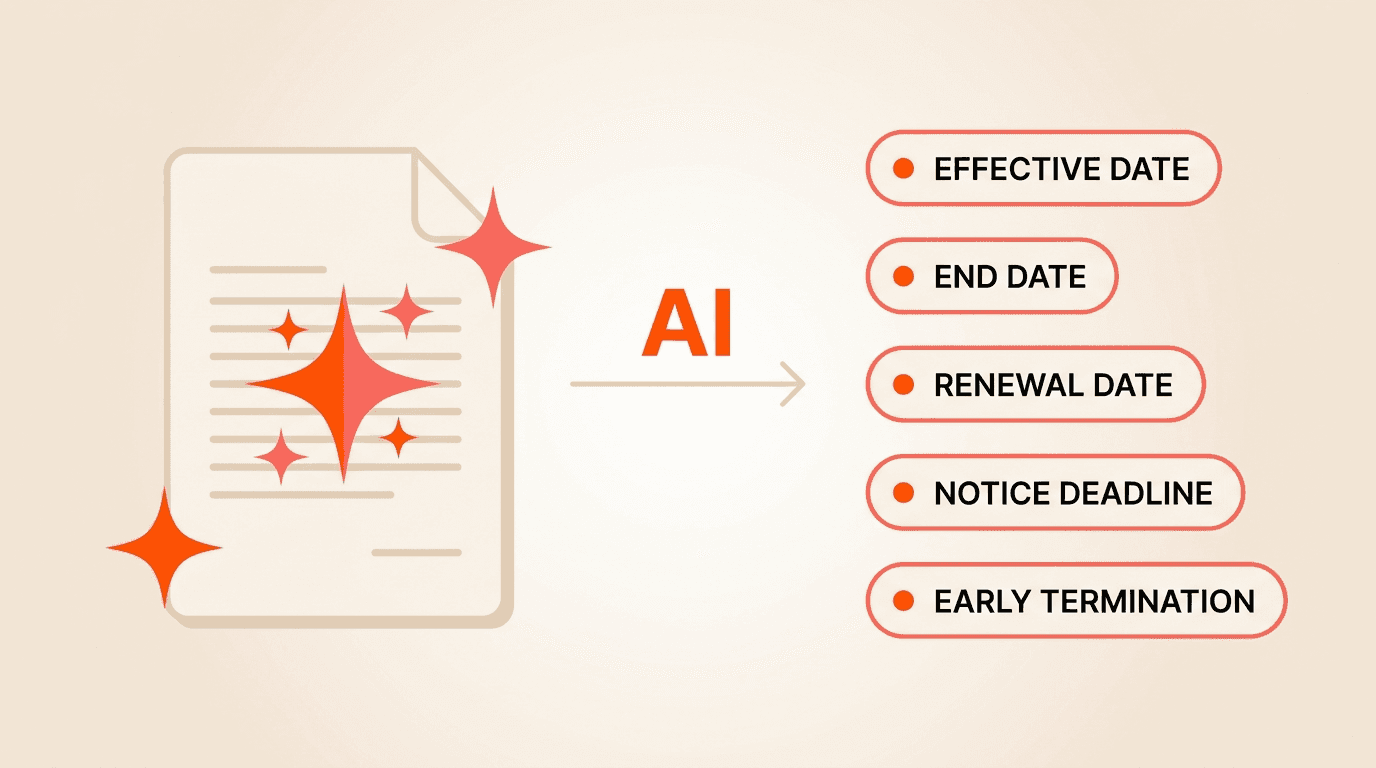
Concord's AI data extraction automatically pulls signature dates, effective dates, durations, renewal information, and early termination notice requirements from uploaded contracts. This capability also runs retroactively on existing repositories through bulk upload, solving the "day one" problem when teams migrate from spreadsheets or legacy systems. You can also use Concord's AI-powered search to ask questions like "show me all contracts with an auto-renewal clause" and get an instant filtered report, helping you discover renewal risk across your entire portfolio.
Vendor evaluation checklist for contract renewal alert software
Use this checklist when comparing vendors:
Data accuracy and extraction
Does the system extract lifecycle dates automatically using AI?
Can you bulk-upload existing contracts and extract renewal data retroactively?
Does the system distinguish between auto-renewing and terminating contracts?
Alert configuration
Can you set multiple reminder stages per contract?
Can you configure different recipients for different alert stages?
Does the system alert on notice deadlines separately from end dates?
Routing and accountability
Can you assign contract owners and approvers?
Are alerts scoped to user permissions automatically?
Does the system support escalation when alerts go unacknowledged?
Channels and integrations
Does the system sync deadlines to Outlook and Google Calendar?
Are Slack or Teams notifications available?
Does it integrate with your CRM (Salesforce, HubSpot)?
Audit and compliance
Is there a full audit trail of notifications and actions?
Can you link amendments and extensions to master agreements?
Does the system maintain version history on every document?
Frequently asked questions
What is the difference between a contract end date alert and a renewal notice alert?
A contract end date alert tells you when a contract expires. A renewal notice alert tells you when the window to act closes. For auto-renewing contracts with a 90-day notice requirement, the end date alert arrives too late. Your contract renewal alert software should calculate and alert on both dates independently.
Can contract renewal alert software work with contracts already stored in other systems?
Yes. Look for bulk upload capabilities paired with AI extraction. Concord, for example, lets you upload an entire existing repository and have AI extract lifecycle details retroactively, so you do not need to manually re-enter data from legacy systems.
How do you prevent alert fatigue when managing hundreds of contracts?
Permission-scoped alerts, multi-channel delivery (calendar sync, Slack, in-app dashboards), and role-based routing all reduce noise. The goal is fewer, more targeted notifications rather than a firehose of weekly emails that everyone ignores.
Take the next step
If your team is tracking contract renewals in spreadsheets or relying on email reminders that get buried, Concord can help. Request a demo to see how automated deadline tracking, AI-powered data extraction, and multi-channel alerts work together to prevent missed renewals across your entire contract portfolio.
Missing an auto-renewal date is one of the most expensive passive mistakes a legal or procurement team can make. Unlike contracts that expire and force a decision, auto-renewals punish teams that simply forget to act. The right contract renewal alert software eliminates this risk by surfacing the deadlines that matter, routing them to the right people, and creating accountability when action is required.
This buyer's guide gives you a concrete evaluation framework so you can compare vendors against the exact capabilities that prevent missed renewals.
Why auto-renewals are the highest-risk contract deadline
Auto-renewals are uniquely dangerous because they require inaction to trigger. A contract that expires naturally forces a conversation. An auto-renewing contract silently locks you into another term if nobody intervenes.
Consider the math: if your average vendor contract is $50,000 per year with a 60-day notice window, one missed termination date equals $50,000 in committed spend you may not have wanted. A 90-day termination notice on a 12-month auto-renewing contract means your actual decision window closes at the nine-month mark. If you are not alerted before that point, you are locked in for another year.
What contract renewal alert software should actually do
Not all alert systems are created equal. A basic reminder email 30 days before an end date is not enough. Your evaluation should cover six core capability areas:
Configurable reminder windows
Renewal date calculation (including notice periods)
Owner and approver routing
Audit trails
Multi-channel alerting and integrations
AI-powered data extraction
Each of these areas addresses a distinct failure mode. The sections below break down what to look for in each one.
Configurable reminder windows: one size does not fit all
Buyers frequently articulate a precise need: targeted alerts sent to specific stakeholders a set number of days before an auto-renewal date, not just a generic countdown to an end date. A software license renewal and a five-year facilities lease require completely different notification timelines.
Your contract renewal alert software should let you configure who receives which alert, for which contract type, and at what interval. Look for systems that support multiple reminder stages (for example, 90 days, 60 days, and 30 days before a deadline) with different recipients at each stage.
Concord's contract deadline management capabilities let you set custom reminder windows per contract and route notifications to designated owners and approvers at each stage. You can also create custom deadline types for scenarios like insurance expirations or payment schedule milestones, giving you flexibility that generic reminder tools cannot match.
Renewal date calculation: the dates that actually matter
Here is where many tools fall short. Tracking the contract end date is only half the picture. Contracts with auto-renewal clauses typically require advance written notice to terminate, meaning the real deadline is the notice window, not the end date.
Your evaluation should verify that the software calculates and alerts on the notice deadline separately from the end date. A system that only tracks when a contract ends will alert you too late for contracts that required 60 or 90 days of advance notice.
Concord tracks multiple deadline types for every contract: effective date, end date, renewal date, and termination notice date. Each of these dates can trigger its own alert track, so your team receives the right notification at the right time.
Another critical distinction: the software should differentiate between contracts that auto-renew and contracts that terminate. Organizations with high volumes of auto-renewing contracts (sometimes 80 percent or more of their portfolio) report frustration when alert systems treat these the same way. Getting a "terminating" alert for an auto-renewing contract generates noise and erodes trust in the system.
Owner and approver routing: getting the alert to the right person
Simply sending a notification does not prevent a missed renewal. The gap between receiving an alert and taking action is where renewals fall through the cracks. Teams consistently report that users receive notifications and simply do not act.
Your evaluation should focus on accountability routing. Can the system designate a contract owner? Can it send role-appropriate, permission-filtered notifications without requiring manual configuration for every contract? A sales team member should not receive alerts for legal's vendor contracts, and vice versa.
Concord's permission-based access controls scope deadline alerts to each user's access level. You can assign contract owners using custom properties, and alerts are automatically filtered so each team member only sees what is relevant to their responsibilities. This is critical for multi-team deployments where alert volume can quickly become overwhelming.
Audit trails: proving who knew what and when
When a renewal is missed, the first question is always "who was supposed to handle this?" Your contract renewal alert software must maintain a complete record of notifications sent, deadlines tracked, and actions taken.
Concord provides full version history and audit trails on every document. You can see who was notified, when they were notified, and what actions they took. Linked documents, including amendments, extensions, and related agreements, are connected to the master agreement so the full renewal history is visible in one place. Learn more about maintaining organized contract records on Concord's document management guide.
Integrations: calendar sync, Slack, and beyond
Buyers consistently prefer calendar-based deadline views over email-only alerts. A visual calendar converts passive notifications into active commitments that appear alongside meetings and other obligations.
Your evaluation should check for:
Calendar sync with Outlook and Google Calendar, so contract deadlines appear in the tools your team already uses daily
Slack or Teams integration for real-time alerts in channels where teams actively communicate
CRM connections (Salesforce, HubSpot) to tie renewal alerts to customer or vendor records
In-app dashboards with filtered calendar and list views of upcoming deadlines
Concord offers deadline calendar sync with Outlook and Google Calendar, Slack integration for deadline alerts, and in-app calendar views with filtering by contract type, owner, or deadline category. This multi-channel approach addresses a well-documented problem: email-only alerts lose effectiveness over time as recipients begin ignoring recurring messages and email clients deprioritize them.
Why AI extraction is the foundation, not a bonus feature
Manual lifecycle data entry is the root cause of most missed deadlines. When team members must manually enter effective dates, durations, renewal terms, and termination notice windows for every contract, errors and omissions are inevitable. If lifecycle data is entered incorrectly or left incomplete, no alert system can compensate.
AI extraction of lifecycle details is not a nice-to-have feature. It is the trust foundation that makes the entire alert system reliable.
Concord's AI data extraction automatically pulls signature dates, effective dates, durations, renewal information, and early termination notice requirements from uploaded contracts. This capability also runs retroactively on existing repositories through bulk upload, solving the "day one" problem when teams migrate from spreadsheets or legacy systems. You can also use Concord's AI-powered search to ask questions like "show me all contracts with an auto-renewal clause" and get an instant filtered report, helping you discover renewal risk across your entire portfolio.
Vendor evaluation checklist for contract renewal alert software
Use this checklist when comparing vendors:
Data accuracy and extraction
Does the system extract lifecycle dates automatically using AI?
Can you bulk-upload existing contracts and extract renewal data retroactively?
Does the system distinguish between auto-renewing and terminating contracts?
Alert configuration
Can you set multiple reminder stages per contract?
Can you configure different recipients for different alert stages?
Does the system alert on notice deadlines separately from end dates?
Routing and accountability
Can you assign contract owners and approvers?
Are alerts scoped to user permissions automatically?
Does the system support escalation when alerts go unacknowledged?
Channels and integrations
Does the system sync deadlines to Outlook and Google Calendar?
Are Slack or Teams notifications available?
Does it integrate with your CRM (Salesforce, HubSpot)?
Audit and compliance
Is there a full audit trail of notifications and actions?
Can you link amendments and extensions to master agreements?
Does the system maintain version history on every document?
Frequently asked questions
What is the difference between a contract end date alert and a renewal notice alert?
A contract end date alert tells you when a contract expires. A renewal notice alert tells you when the window to act closes. For auto-renewing contracts with a 90-day notice requirement, the end date alert arrives too late. Your contract renewal alert software should calculate and alert on both dates independently.
Can contract renewal alert software work with contracts already stored in other systems?
Yes. Look for bulk upload capabilities paired with AI extraction. Concord, for example, lets you upload an entire existing repository and have AI extract lifecycle details retroactively, so you do not need to manually re-enter data from legacy systems.
How do you prevent alert fatigue when managing hundreds of contracts?
Permission-scoped alerts, multi-channel delivery (calendar sync, Slack, in-app dashboards), and role-based routing all reduce noise. The goal is fewer, more targeted notifications rather than a firehose of weekly emails that everyone ignores.
Take the next step
If your team is tracking contract renewals in spreadsheets or relying on email reminders that get buried, Concord can help. Request a demo to see how automated deadline tracking, AI-powered data extraction, and multi-channel alerts work together to prevent missed renewals across your entire contract portfolio.


Take the "management" out
of contract management.
Customer Support
Legal
Compare
Resources
Customer Support
Company
Legal
Compare
Resources
Customer Support
Company
Legal
Compare
© 2025 Concord. All rights reserved.

