
Best tools for contract redlining and negotiation
Best tools for contract redlining and negotiation
Best tools for contract redlining and negotiation
Best tools for contract redlining and negotiation
contract management
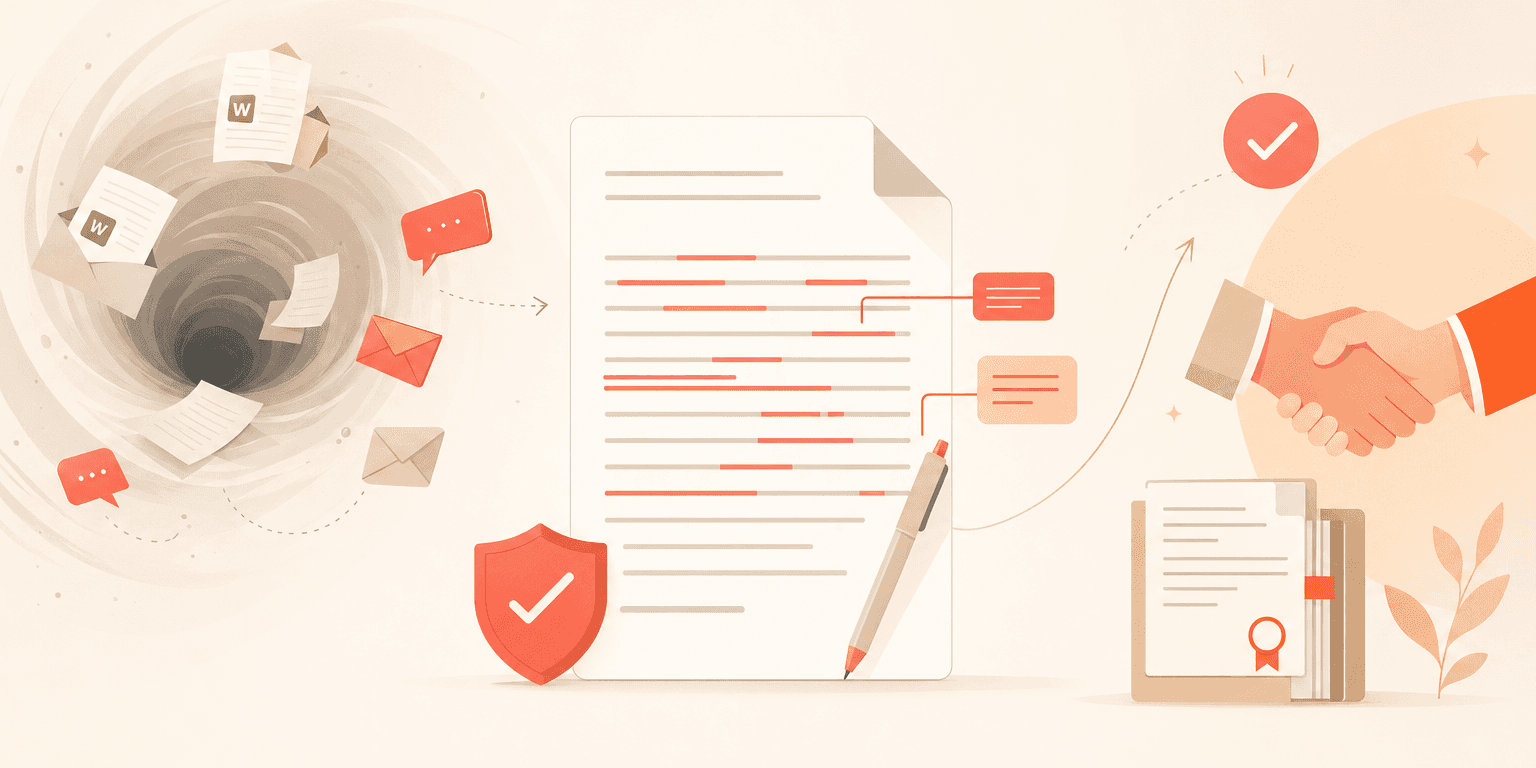
Your team just finished drafting a contract. Now it enters the black hole: email threads, Word attachments named "final_v3_REVISED_actualfinal.docx," and approval requests buried in someone's inbox. Sound familiar? If you have been searching for the right contract redlining tools to fix this mess, you already know the market is fragmented. Word add-ons, AI-powered reviewers, and full CLM platforms each claim to handle negotiation. But they solve very different problems.
This guide gives you a framework for choosing the right category of tool based on how your team actually negotiates contracts.
Three approaches to contract redlining and negotiation
Before comparing specific products, it helps to understand that contract negotiation tools fall into three broad categories. Each addresses a different slice of the workflow.
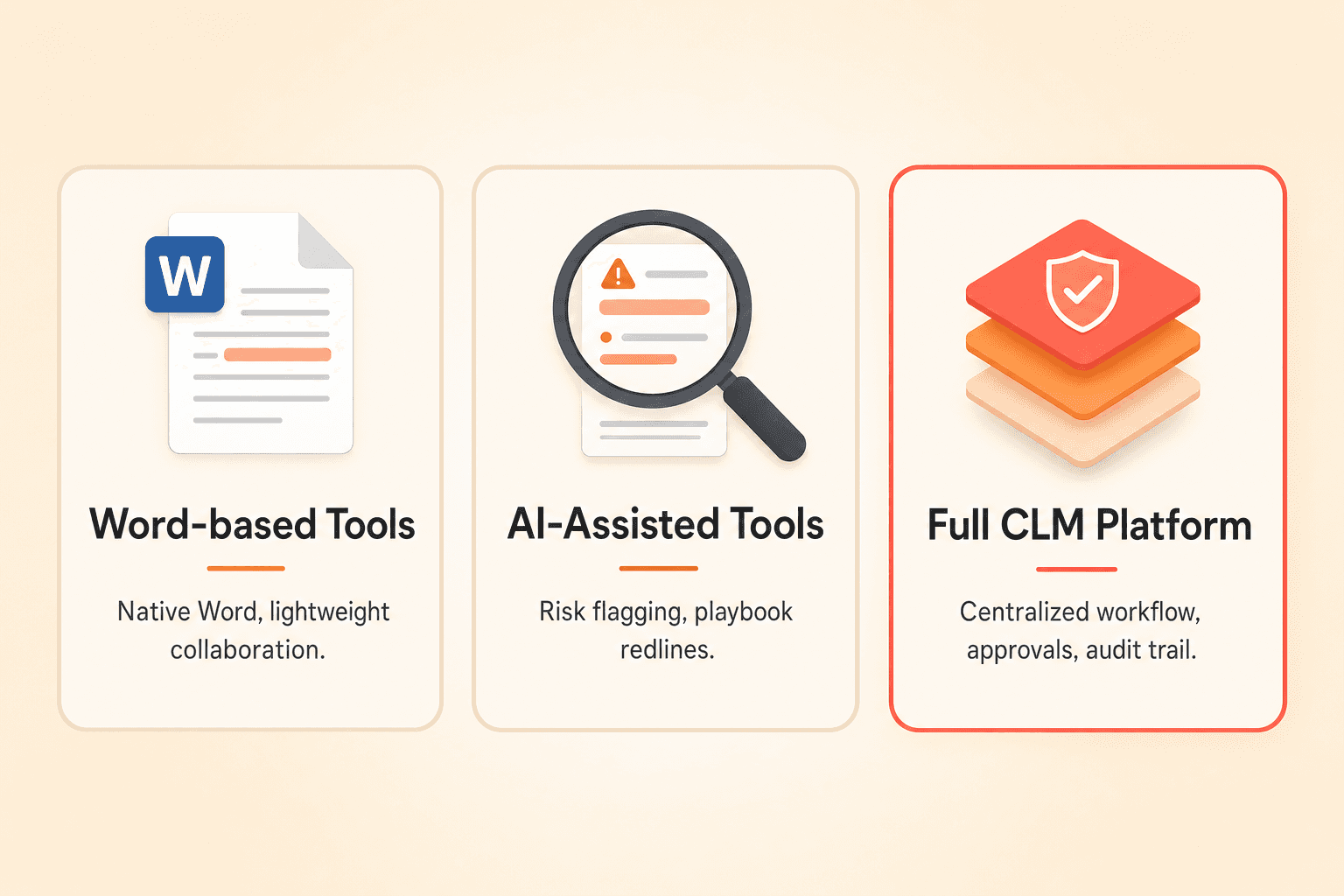
Word-based redlining tools keep Microsoft Word as the primary editing environment and add lightweight features like commenting, version snapshots, or collaboration layers on top. AI-assisted negotiation tools use machine learning to flag risks, suggest alternative language, or auto-generate redlines based on your playbook. Full CLM negotiation workflows centralize the entire process, including drafting, redlining, approvals, version control, audit trails, and signature, in one platform.
Most teams need elements from all three. The question is where the center of gravity should sit.
Capability | Word-only tools | AI add-ons | Full CLM platforms |
|---|---|---|---|
Redlining and track changes | Native Word feature | Varies by tool | Built-in editor plus Word support |
Version control | Manual file naming | Limited | Automatic with side-by-side comparison |
Approval workflows | Not included | Not included | Conditional, multi-step routing |
Audit trail | Not included | Partial | Full activity log by author and action |
AI-assisted review | Not included | Core strength | Increasingly built in |
External party collaboration | Email attachments | Varies | Shareable links, no account required |
Internal vs. public comments | Not possible | Rare | Supported natively |
When Word-only tools are enough
Microsoft Word is the lingua franca of contract negotiation. Counterparties — outside counsel, vendors, and clients — overwhelmingly resist browser-based editors for external negotiation. They want a .docx file they can mark up in Word.
For simple, low-volume negotiations between two parties where you do not need an audit trail or approval routing, Word with Track Changes may be sufficient. A solo practitioner exchanging redlines on a handful of NDAs per month can manage without a dedicated platform.
The breakdown happens at scale. Once multiple people touch the same contract, once you need to know who approved what and when, or once you are managing more than a few dozen active negotiations, Word alone creates dangerous gaps in visibility.
What AI-assisted contract redlining actually does today
AI contract review has moved beyond summarization. Adoption across legal and contracting teams has reached the point where AI-assisted review is increasingly an expectation rather than an experiment. The technology has matured enough that teams evaluating CLM platforms now treat it as a baseline capability, not a differentiator.
Here is what AI-assisted redlining can do right now. It can scan a contract against your standard positions and flag deviations. It can suggest rewritten clauses based on your playbook. It can summarize key terms, identify risk areas, and answer natural-language questions about specific provisions.
The limitation? Standalone AI tools typically lack the workflow infrastructure around the redline. They can tell you what to change, but they do not manage who approves the change, track the version history across negotiation rounds, or maintain the audit trail that your compliance team requires.
Why centralized negotiation history matters
The number one pain point driving CLM evaluation is email-driven contract processes. Teams running their entire negotiation lifecycle through Outlook or Gmail face version confusion, lost approvals, and zero audit trail. Poor contract visibility translates directly into value leakage: auto-renewals at unfavorable rates, missed termination windows, and price protections that expire before anyone notices.
Centralized negotiation history solves this by creating an unbroken record of every change, comment, approval, and version from first draft to final signature. You can answer questions like: "Who agreed to this liability cap?" or "What did the indemnification clause look like in version four?" without digging through email archives.
Version comparison is especially critical. The ability to select any two versions of a contract, place them side by side, and see every insertion, deletion, and modification by author is what separates structured negotiation from guesswork.
How to redline contracts in Word while keeping everything in a CLM
This is the practical question most teams face: your internal team wants a centralized platform, but your counterparties insist on Word. You need both.
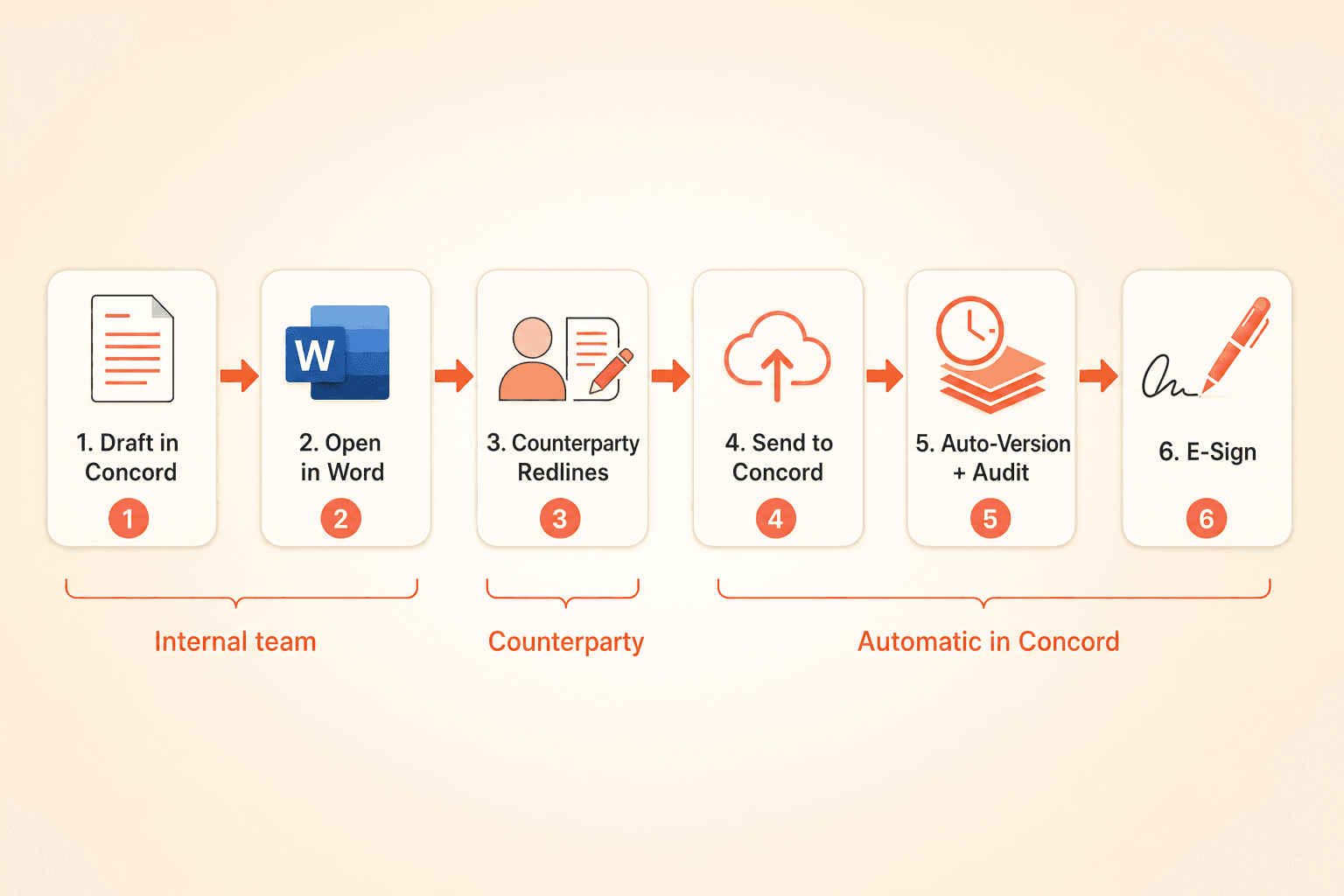
Concord handles this with a Microsoft Word plugin that bridges the two environments. The workflow looks like this: your team drafts or imports a contract in Concord, then opens it in Word for external negotiation. The counterparty redlines in their familiar Word environment. Your team member clicks "Send to Concord" to push the updated document back. Concord automatically creates a new version and tracks every change.
For internal collaboration, Concord's built-in editor supports full redlining, track changes, and dual-track commenting. Internal comments stay visible only to your team. Public comments are visible to counterparties. This eliminates the need for side-channel Slack messages or forwarded emails to discuss negotiation strategy.
Approval workflows integrate directly into the negotiation process. You can configure conditional routing based on contract value, governing law, or any custom field. A contract exceeding a certain dollar threshold automatically routes to senior counsel before the next round of redlines goes out. Approvals happen during negotiation, not as a disconnected afterthought.
Every action is captured in a full audit trail. You can see who created, edited, approved, signed, and versioned each document, with granular breakdowns filtered by author or change type. Built-in e-signature means you do not need to export to a separate signing tool when negotiation concludes.
Which tool fits which workflow: a decision matrix
Your situation | Recommended approach |
|---|---|
Low volume, simple contracts, solo negotiator | Word with Track Changes |
High volume but straightforward terms, need speed | AI add-on for first-pass review, then Word |
Multiple internal stakeholders, need approvals | Full CLM with approval workflows |
External parties who only use Word | CLM with Word plugin (like Concord) |
Regulated industry, audit trail required | Full CLM with version history and audit log |
Growing team, plan to scale contract operations | Full CLM with AI capabilities built in |
For most mid-market teams managing a mix of internal and external negotiations, a full CLM platform with strong Word compatibility and built-in AI represents the most practical path forward.
Frequently asked questions
Can you redline contracts in a CLM without forcing counterparties onto a new platform? Yes. Platforms like Concord let your counterparties continue working in Microsoft Word. Your team uses the Word plugin to sync changes back to the CLM, where version control, audit trails, and approvals happen automatically. External parties can also receive shareable links and collaborate directly without creating an account.
What is the difference between AI contract review and AI contract redlining? AI contract review scans a document and flags risks, deviations from standard terms, or missing clauses. AI contract redlining goes a step further by proposing specific markup changes based on your playbook. Concord's AI-Powered Workflow Agents can do both: review a contract against your standard positions and generate actual redline suggestions for your team to accept or modify.
Do I need a separate e-signature tool if I use a CLM for negotiation? Not necessarily. Concord includes unlimited built-in e-signatures, so you can move from negotiation to execution without switching platforms. If your organization already uses DocuSign, that integration is also available.
The right contract redlining tools depend on your team's size, your counterparties' preferences, and your compliance requirements. If you are ready to move past email-driven negotiation and bring version control, approvals, and AI-assisted review into one place, explore Concord's negotiation features and see how the platform fits your workflow.
Your team just finished drafting a contract. Now it enters the black hole: email threads, Word attachments named "final_v3_REVISED_actualfinal.docx," and approval requests buried in someone's inbox. Sound familiar? If you have been searching for the right contract redlining tools to fix this mess, you already know the market is fragmented. Word add-ons, AI-powered reviewers, and full CLM platforms each claim to handle negotiation. But they solve very different problems.
This guide gives you a framework for choosing the right category of tool based on how your team actually negotiates contracts.
Three approaches to contract redlining and negotiation
Before comparing specific products, it helps to understand that contract negotiation tools fall into three broad categories. Each addresses a different slice of the workflow.
Word-based redlining tools keep Microsoft Word as the primary editing environment and add lightweight features like commenting, version snapshots, or collaboration layers on top. AI-assisted negotiation tools use machine learning to flag risks, suggest alternative language, or auto-generate redlines based on your playbook. Full CLM negotiation workflows centralize the entire process, including drafting, redlining, approvals, version control, audit trails, and signature, in one platform.
Most teams need elements from all three. The question is where the center of gravity should sit.
Capability | Word-only tools | AI add-ons | Full CLM platforms |
|---|---|---|---|
Redlining and track changes | Native Word feature | Varies by tool | Built-in editor plus Word support |
Version control | Manual file naming | Limited | Automatic with side-by-side comparison |
Approval workflows | Not included | Not included | Conditional, multi-step routing |
Audit trail | Not included | Partial | Full activity log by author and action |
AI-assisted review | Not included | Core strength | Increasingly built in |
External party collaboration | Email attachments | Varies | Shareable links, no account required |
Internal vs. public comments | Not possible | Rare | Supported natively |
When Word-only tools are enough
Microsoft Word is the lingua franca of contract negotiation. Counterparties — outside counsel, vendors, and clients — overwhelmingly resist browser-based editors for external negotiation. They want a .docx file they can mark up in Word.
For simple, low-volume negotiations between two parties where you do not need an audit trail or approval routing, Word with Track Changes may be sufficient. A solo practitioner exchanging redlines on a handful of NDAs per month can manage without a dedicated platform.
The breakdown happens at scale. Once multiple people touch the same contract, once you need to know who approved what and when, or once you are managing more than a few dozen active negotiations, Word alone creates dangerous gaps in visibility.
What AI-assisted contract redlining actually does today
AI contract review has moved beyond summarization. Adoption across legal and contracting teams has reached the point where AI-assisted review is increasingly an expectation rather than an experiment. The technology has matured enough that teams evaluating CLM platforms now treat it as a baseline capability, not a differentiator.
Here is what AI-assisted redlining can do right now. It can scan a contract against your standard positions and flag deviations. It can suggest rewritten clauses based on your playbook. It can summarize key terms, identify risk areas, and answer natural-language questions about specific provisions.
The limitation? Standalone AI tools typically lack the workflow infrastructure around the redline. They can tell you what to change, but they do not manage who approves the change, track the version history across negotiation rounds, or maintain the audit trail that your compliance team requires.
Why centralized negotiation history matters
The number one pain point driving CLM evaluation is email-driven contract processes. Teams running their entire negotiation lifecycle through Outlook or Gmail face version confusion, lost approvals, and zero audit trail. Poor contract visibility translates directly into value leakage: auto-renewals at unfavorable rates, missed termination windows, and price protections that expire before anyone notices.
Centralized negotiation history solves this by creating an unbroken record of every change, comment, approval, and version from first draft to final signature. You can answer questions like: "Who agreed to this liability cap?" or "What did the indemnification clause look like in version four?" without digging through email archives.
Version comparison is especially critical. The ability to select any two versions of a contract, place them side by side, and see every insertion, deletion, and modification by author is what separates structured negotiation from guesswork.
How to redline contracts in Word while keeping everything in a CLM
This is the practical question most teams face: your internal team wants a centralized platform, but your counterparties insist on Word. You need both.
Concord handles this with a Microsoft Word plugin that bridges the two environments. The workflow looks like this: your team drafts or imports a contract in Concord, then opens it in Word for external negotiation. The counterparty redlines in their familiar Word environment. Your team member clicks "Send to Concord" to push the updated document back. Concord automatically creates a new version and tracks every change.
For internal collaboration, Concord's built-in editor supports full redlining, track changes, and dual-track commenting. Internal comments stay visible only to your team. Public comments are visible to counterparties. This eliminates the need for side-channel Slack messages or forwarded emails to discuss negotiation strategy.
Approval workflows integrate directly into the negotiation process. You can configure conditional routing based on contract value, governing law, or any custom field. A contract exceeding a certain dollar threshold automatically routes to senior counsel before the next round of redlines goes out. Approvals happen during negotiation, not as a disconnected afterthought.
Every action is captured in a full audit trail. You can see who created, edited, approved, signed, and versioned each document, with granular breakdowns filtered by author or change type. Built-in e-signature means you do not need to export to a separate signing tool when negotiation concludes.
Which tool fits which workflow: a decision matrix
Your situation | Recommended approach |
|---|---|
Low volume, simple contracts, solo negotiator | Word with Track Changes |
High volume but straightforward terms, need speed | AI add-on for first-pass review, then Word |
Multiple internal stakeholders, need approvals | Full CLM with approval workflows |
External parties who only use Word | CLM with Word plugin (like Concord) |
Regulated industry, audit trail required | Full CLM with version history and audit log |
Growing team, plan to scale contract operations | Full CLM with AI capabilities built in |
For most mid-market teams managing a mix of internal and external negotiations, a full CLM platform with strong Word compatibility and built-in AI represents the most practical path forward.
Frequently asked questions
Can you redline contracts in a CLM without forcing counterparties onto a new platform? Yes. Platforms like Concord let your counterparties continue working in Microsoft Word. Your team uses the Word plugin to sync changes back to the CLM, where version control, audit trails, and approvals happen automatically. External parties can also receive shareable links and collaborate directly without creating an account.
What is the difference between AI contract review and AI contract redlining? AI contract review scans a document and flags risks, deviations from standard terms, or missing clauses. AI contract redlining goes a step further by proposing specific markup changes based on your playbook. Concord's AI-Powered Workflow Agents can do both: review a contract against your standard positions and generate actual redline suggestions for your team to accept or modify.
Do I need a separate e-signature tool if I use a CLM for negotiation? Not necessarily. Concord includes unlimited built-in e-signatures, so you can move from negotiation to execution without switching platforms. If your organization already uses DocuSign, that integration is also available.
The right contract redlining tools depend on your team's size, your counterparties' preferences, and your compliance requirements. If you are ready to move past email-driven negotiation and bring version control, approvals, and AI-assisted review into one place, explore Concord's negotiation features and see how the platform fits your workflow.


Take the "management" out
of contract management.
Customer Support
Legal
Compare
Resources
Customer Support
Company
Legal
Compare
Resources
Customer Support
Company
Legal
Compare
© 2025 Concord. All rights reserved.

